VintifyVintify
  • Features
  • Pricing
  • Free tools
  • FAQ
  • Changelog
  • Blog
Log in
FeaturesPricingFree toolsFAQChangelogBlog
Log in to the app
VintifyVintify

Vinted and eBay in one set of books, synced every hour.

Questions? hello@getvintify.com

Product

  • Features
  • Pricing
  • Compare
  • Changelog
  • FAQ
  • Log in

Company

  • About
  • Blog
  • Free tools
  • Affiliates
  • Security
  • Contact
  • Discord

Legal

  • Privacy
  • Terms
  • Cookies

© 2026 Vintify. Built in the UK for resellers.

Not affiliated with Vinted or eBay. Vinted and eBay are trademarks of their owners.

Every feature

One app for the whole business of reselling.

Every screen in Vintify, the question it answers and what it does for you. The whole business in one place, on your phone and your laptop.

Start your free trial
  • Syncs itself
  • One set of books
  • Phone and desktop
  • Every screen
  • What it never does

A Saturday with Vintify

From the car boot to the sofa, it keeps up with you.

Four moments from one day. The phone is in your hand for all of them, and nothing gets typed twice.

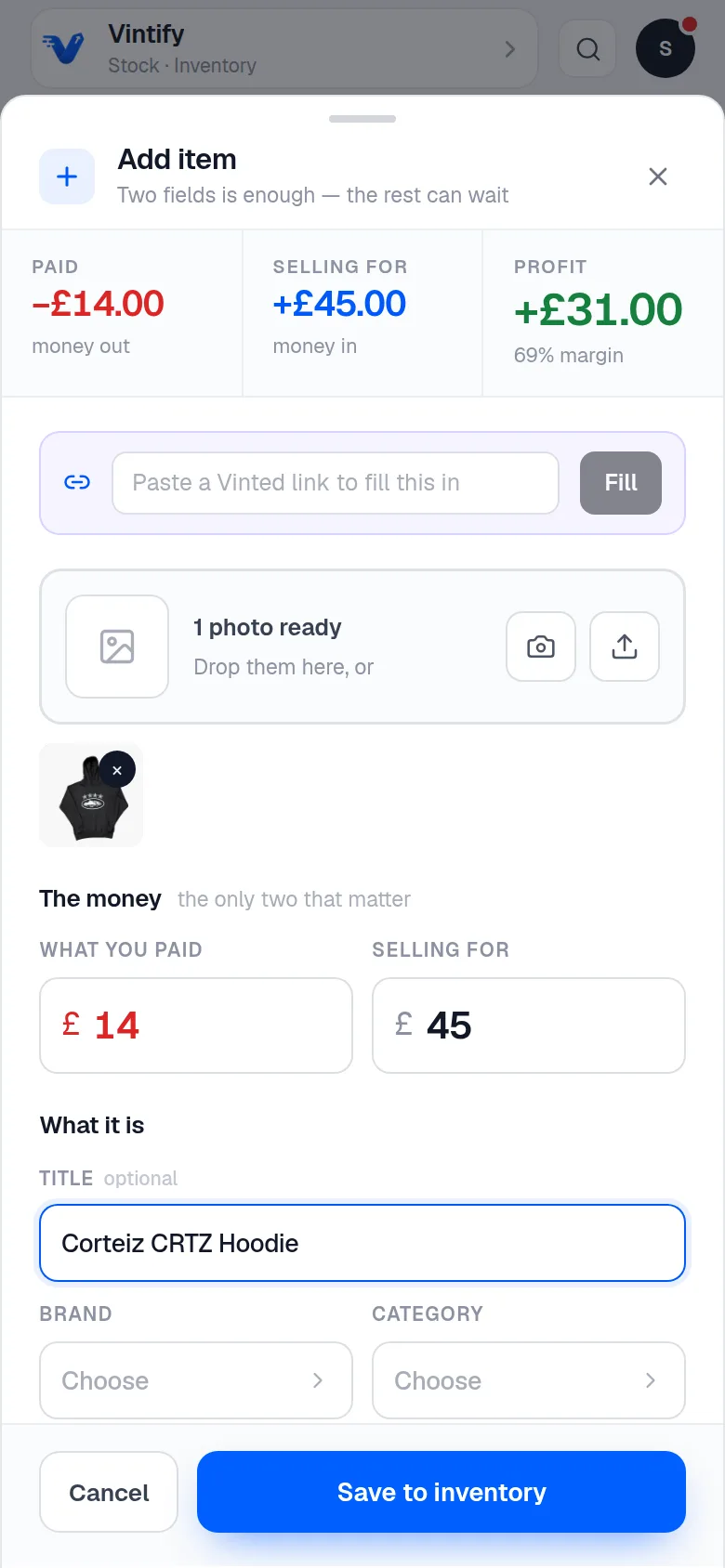
  1. 09:40Car boot

    A screenshot of adding an item in the Vintify app on a phone, with example dataA screenshot of adding an item in the Vintify app on a phone, with example data

    Log a find before it's in the bag.

    Price in, done. The margin shows as you type and the rest can wait until later.

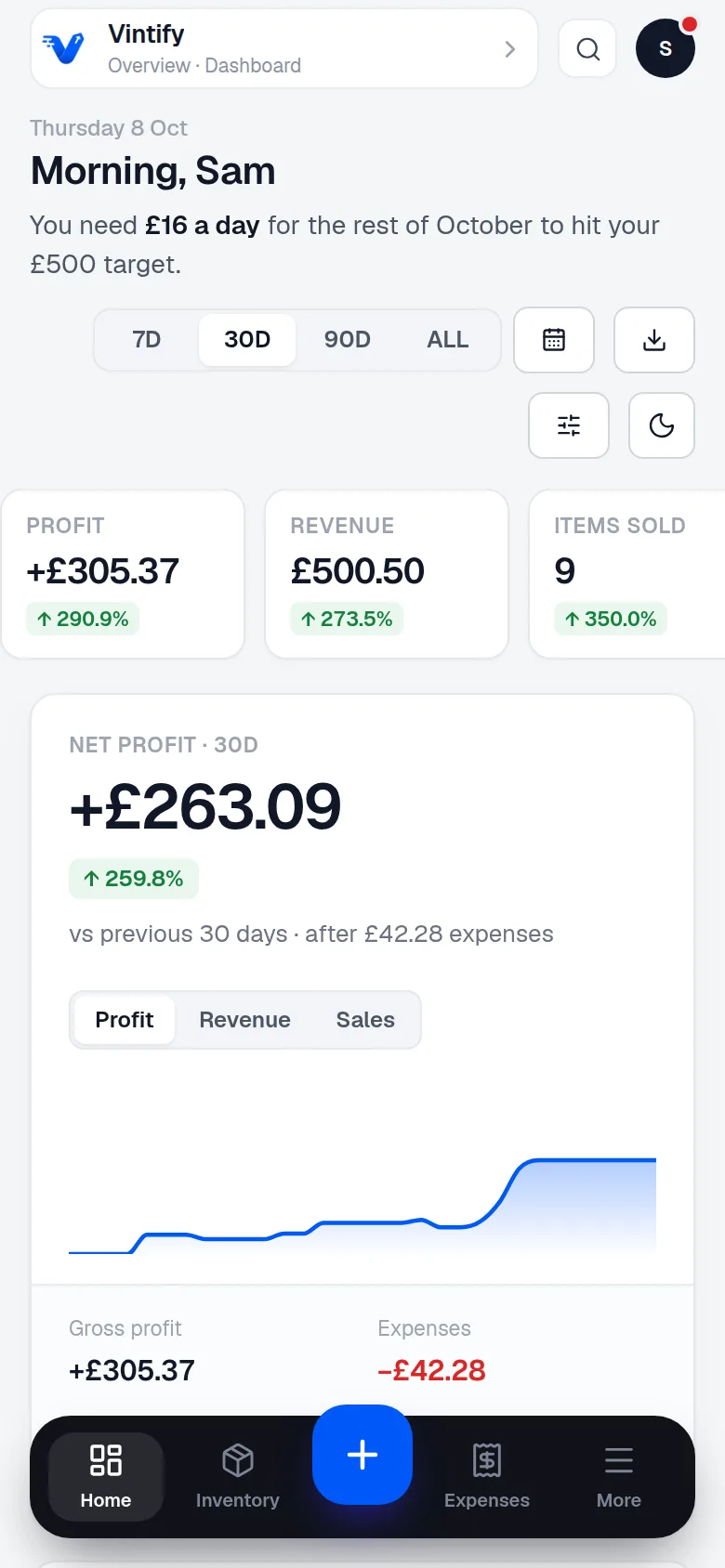
  2. 11:15Still browsing

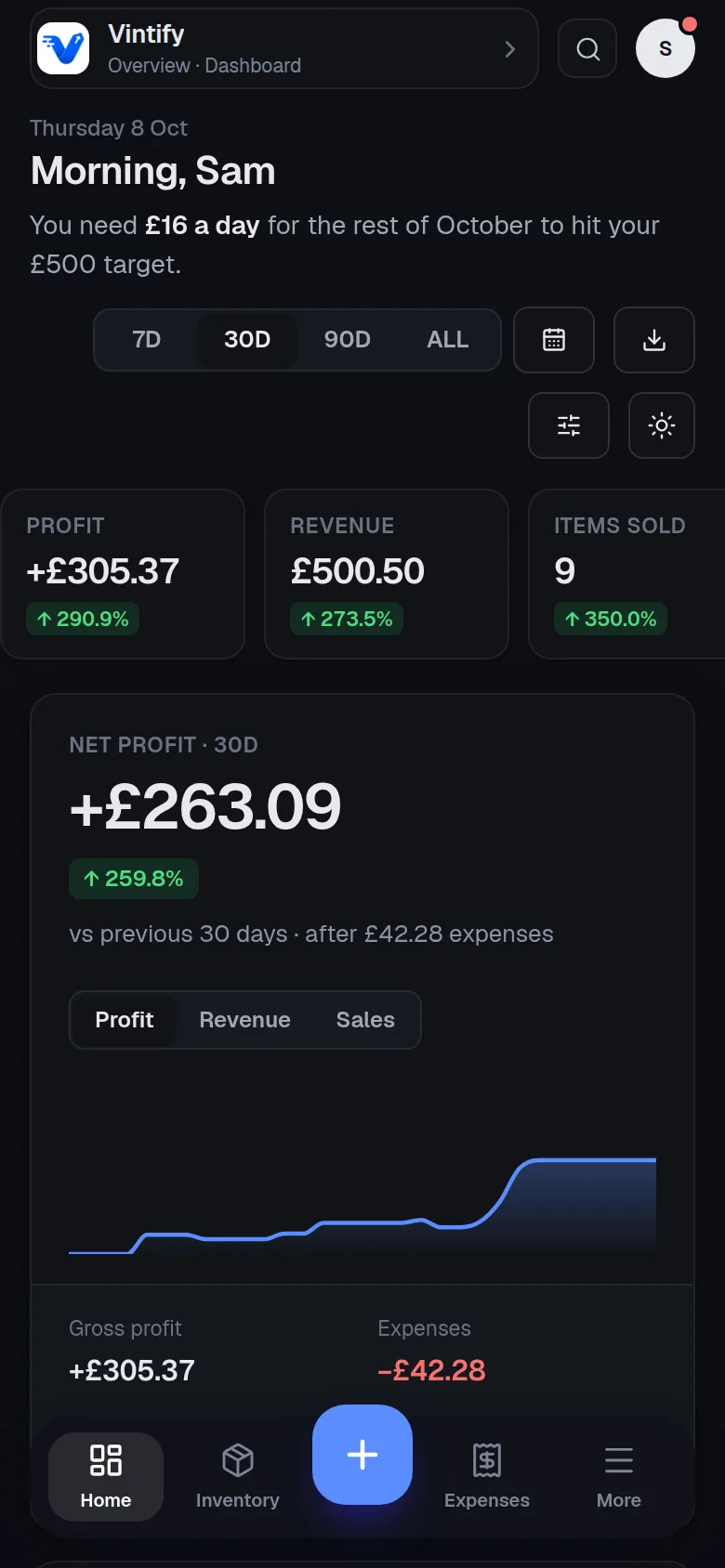
    A screenshot of the dashboard in the Vintify app on a phone, with example dataA screenshot of the dashboard in the Vintify app on a phone, with example data

    A Vinted sale lands on its own.

    The sale, the fee and the parcel's stage arrive in your books. Nothing to type.

  3. 13:00Back home

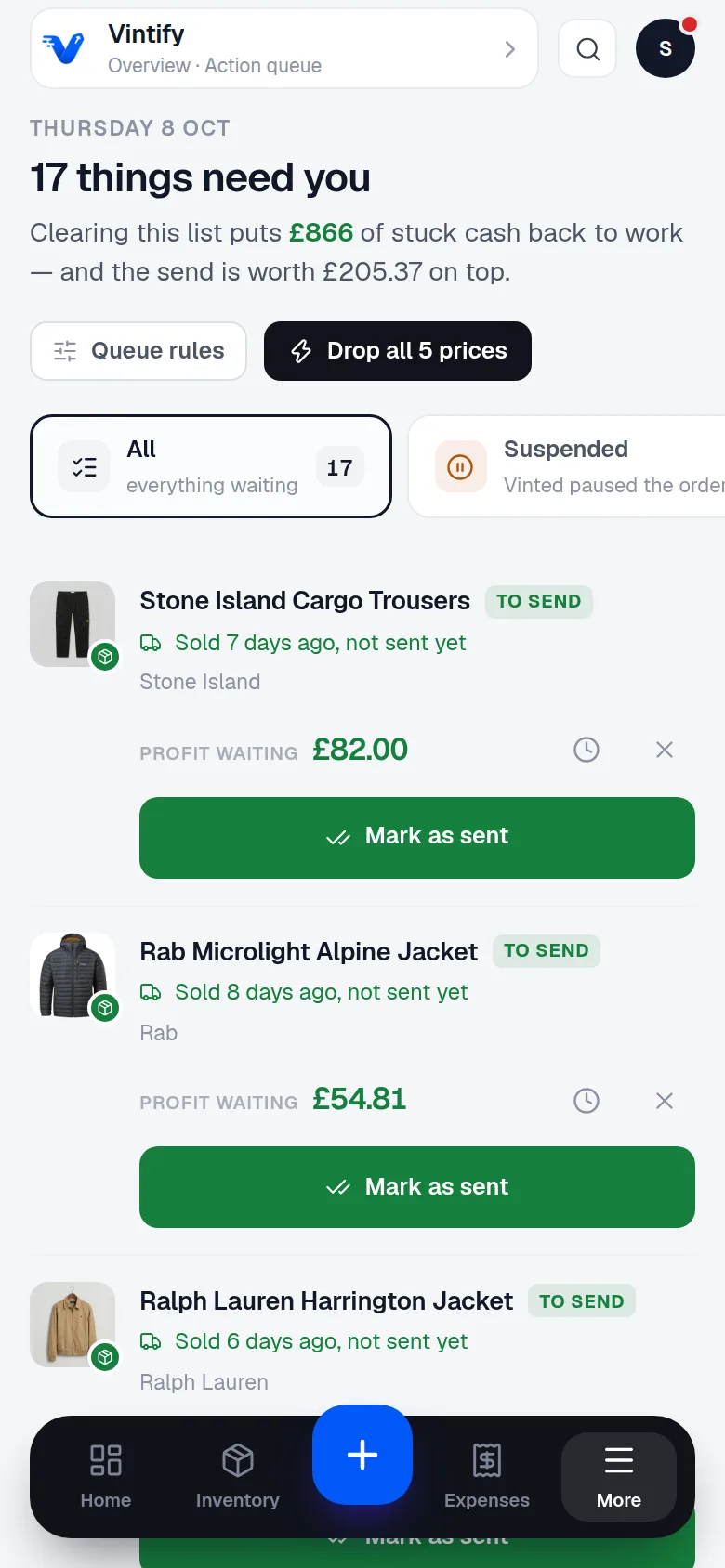
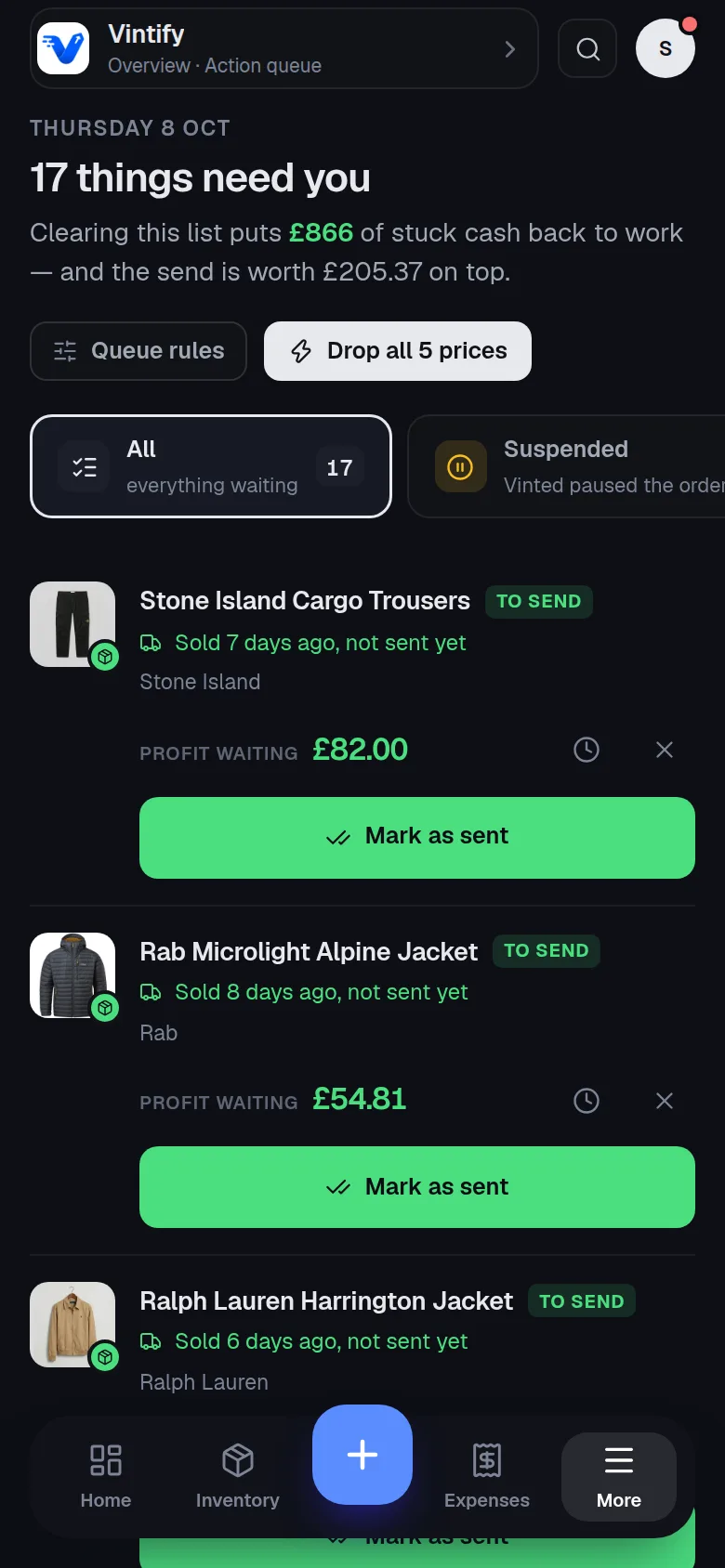
    A screenshot of the action queue in the Vintify app on a phone, with example dataA screenshot of the action queue in the Vintify app on a phone, with example data

    It tells you what needs doing.

    Three parcels to post, one listing to drop in price, one bag of stock still to list.

  4. 20:30On the sofa

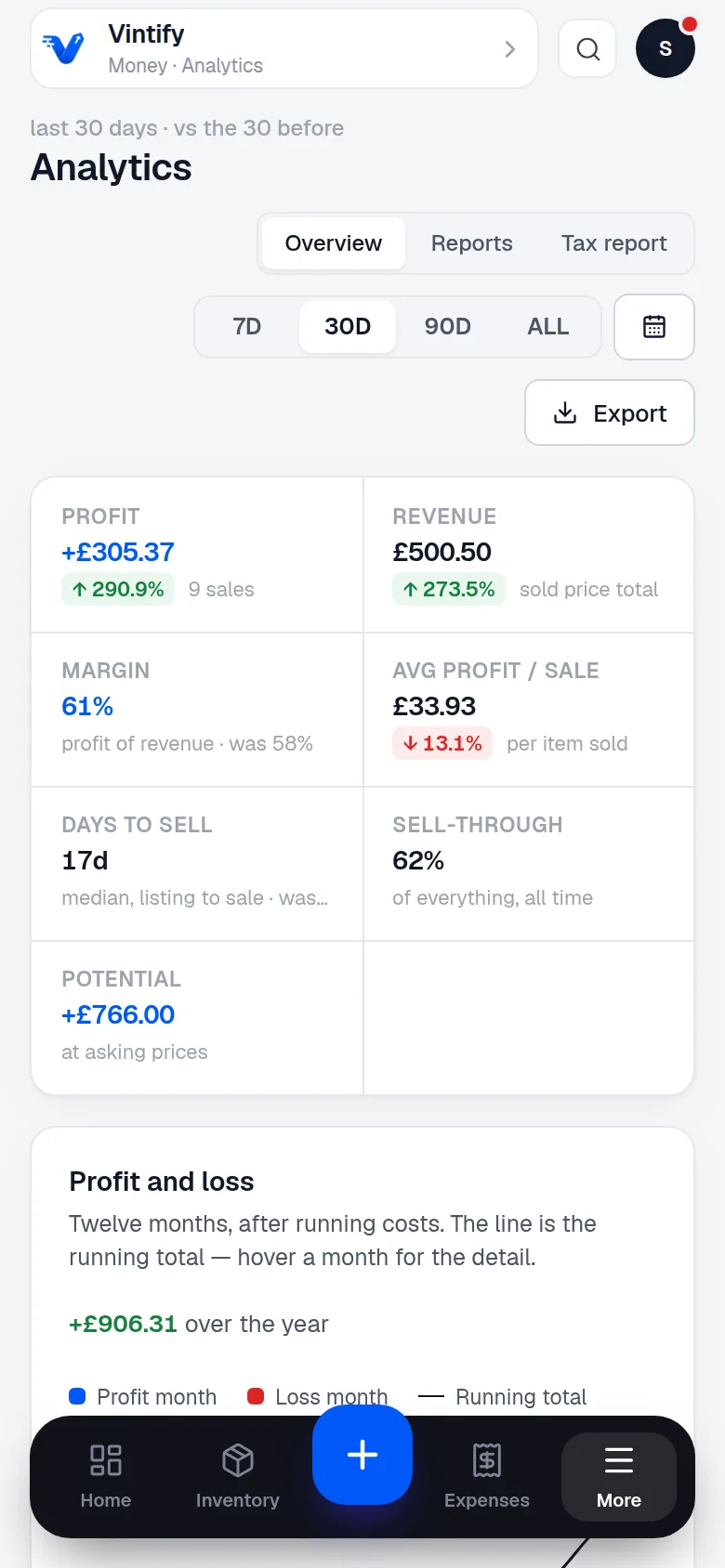
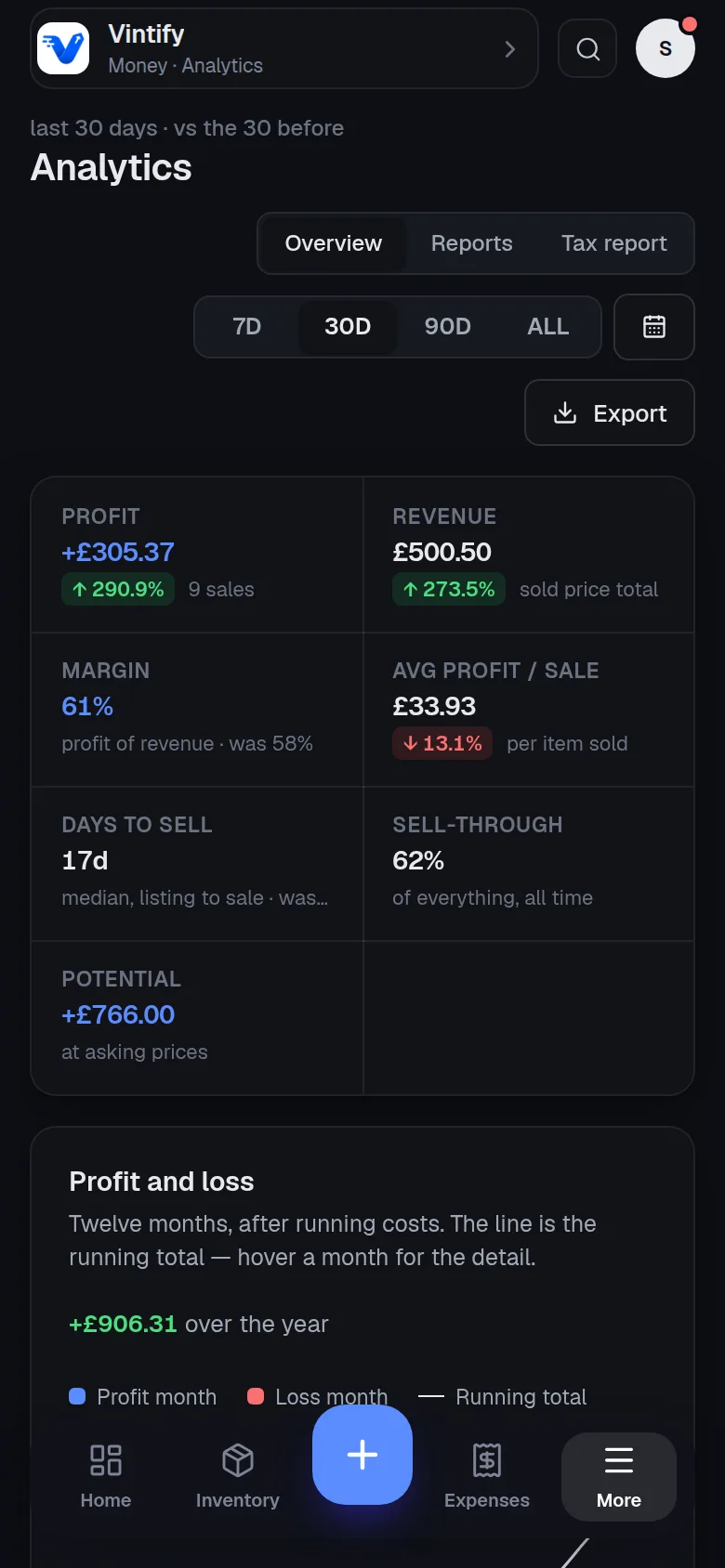
    A screenshot of analytics in the Vintify app on a phone, with example dataA screenshot of analytics in the Vintify app on a phone, with example data

    See where the month's money went.

    Stock, fees, postage and the pitch fee, taken off. What's left is yours.

It syncs itself

Connect once. Your sales arrive while you're out buying.

Vinted and eBay each land in the same set of books. The sale, the real fee, the parcel's stage and the payout, all on their own.

  • Syncs every hour, and whenever you press Sync now.
  • The real eBay fee, not a guess, once eBay posts it.
  • Several Vinted accounts, one set of books.
  • It reads your accounts. It never lists, reprices or messages anyone for you.
VintedConnectedSynced
eBaySigned inSynced

Your books

every hour

  • SalesEvery order, as a sale against the item it was.
  • FeesVinted's as Vinted shows it. eBay's real fee, once eBay posts it.
  • ParcelsEach parcel's stage, in the marketplace's own words.
  • PayoutsWhat's pending, what's available and what has landed.

Nothing typed twice.

Every account

Two selling accounts and a buying one? One set of books.

Connect every Vinted account you run, each set to selling, buying or both, on its own Vinted country site. Items bought on one and sold on another are matched into one profit.

@yourshopvinted.co.ukSelling
@yourshop.frvinted.frSelling
@yourbuysvinted.co.ukBuying
eBayebay.co.ukSelling

One set of books

4 accounts · every hour

  • Bought on @yourbuysNike Tech Fleece · example£8.00
  • Sold on @yourshop.frthe same item, matched£24.00
  • Profit, one item+£16.00

Example figures. Fees and postage come off too when they apply.

One set of books

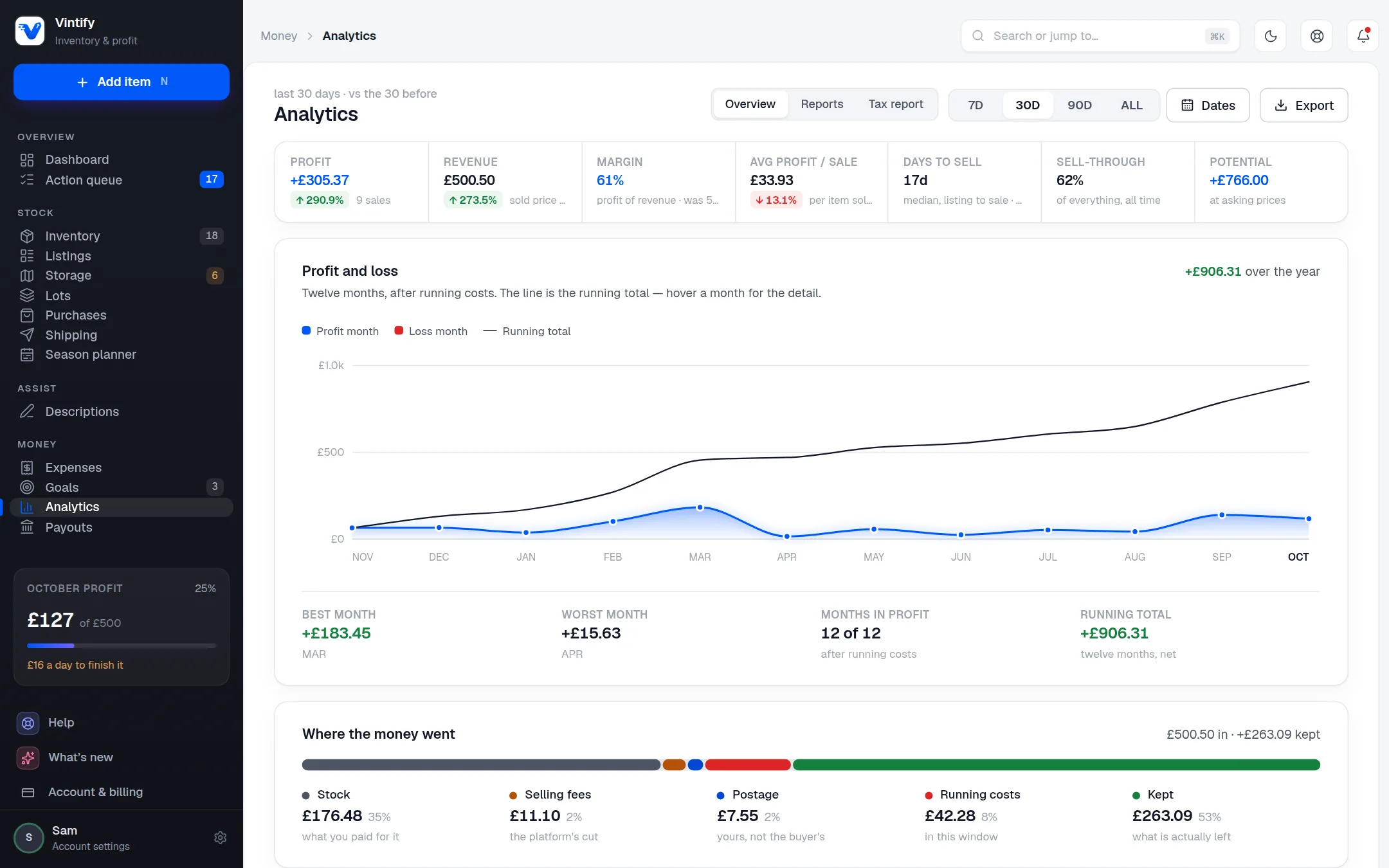
Vinted and eBay in one profit figure.

Both marketplaces, one answer to what you actually made. Then where it went, how fast it came back, and what to buy more of.

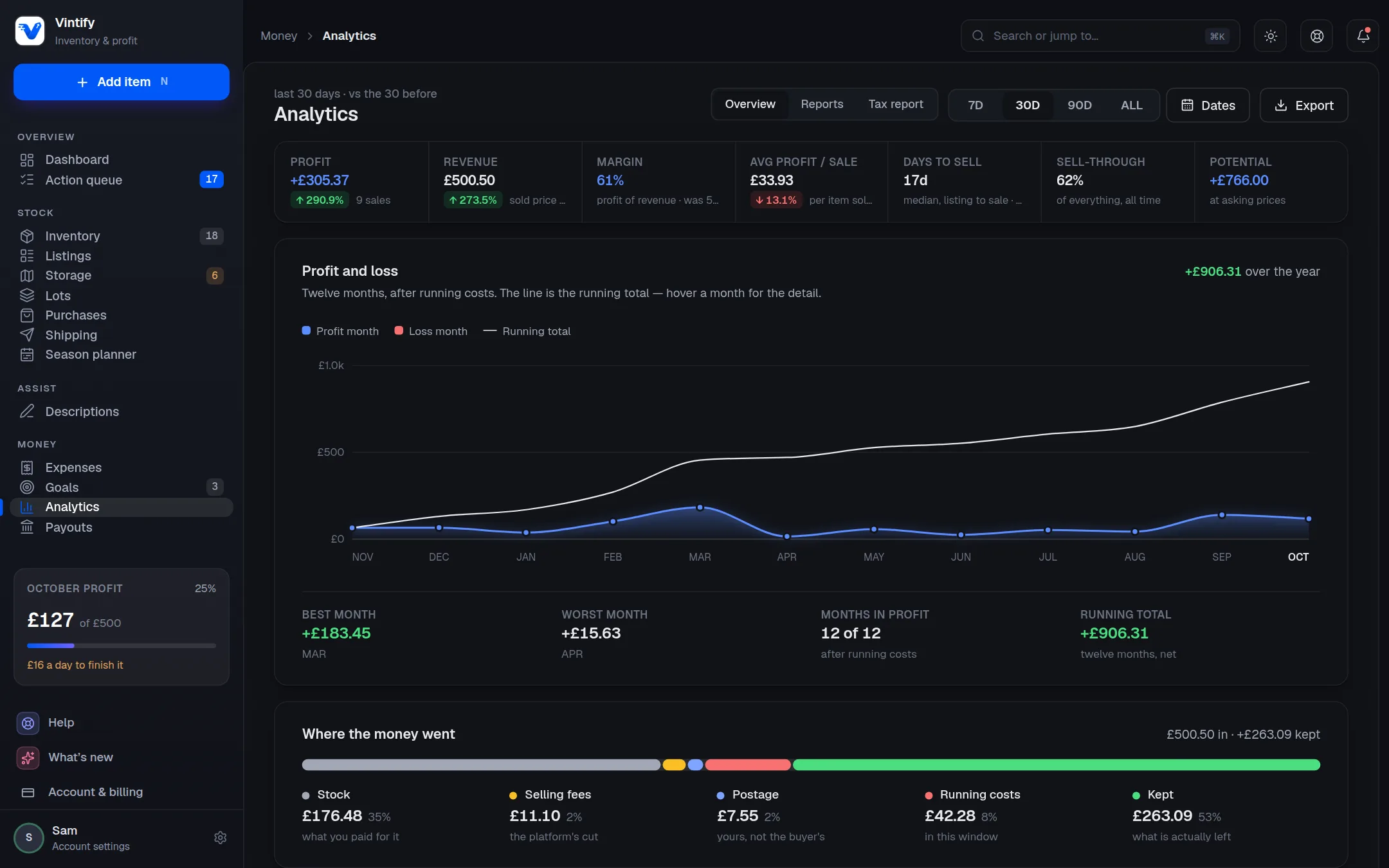
A screenshot of analytics in the Vintify app on a computer, with example dataA screenshot of analytics in the Vintify app on a computer, with example data
  • Your real margin, after everything

    Stock, fees, postage and running costs come off before anything is called profit.

  • What's worth buying more of

    Profit by brand, category and size, so next Saturday's sourcing gets sharper.

  • How fast your money comes back

    Typical days to sell, and the stock that has been sitting too long.

  • Books in your own language

    Import a spreadsheet kept in any of the 18 languages Vinted trades in. Export as Excel (.xlsx) or CSV, headed in your language for 8 of them.

Phone first. At home on a laptop.

One hand in a charity shop. Two at a desk.

The same account, two shapes. Quick and one-handed on your phone; every column, date range and export on a bigger screen.

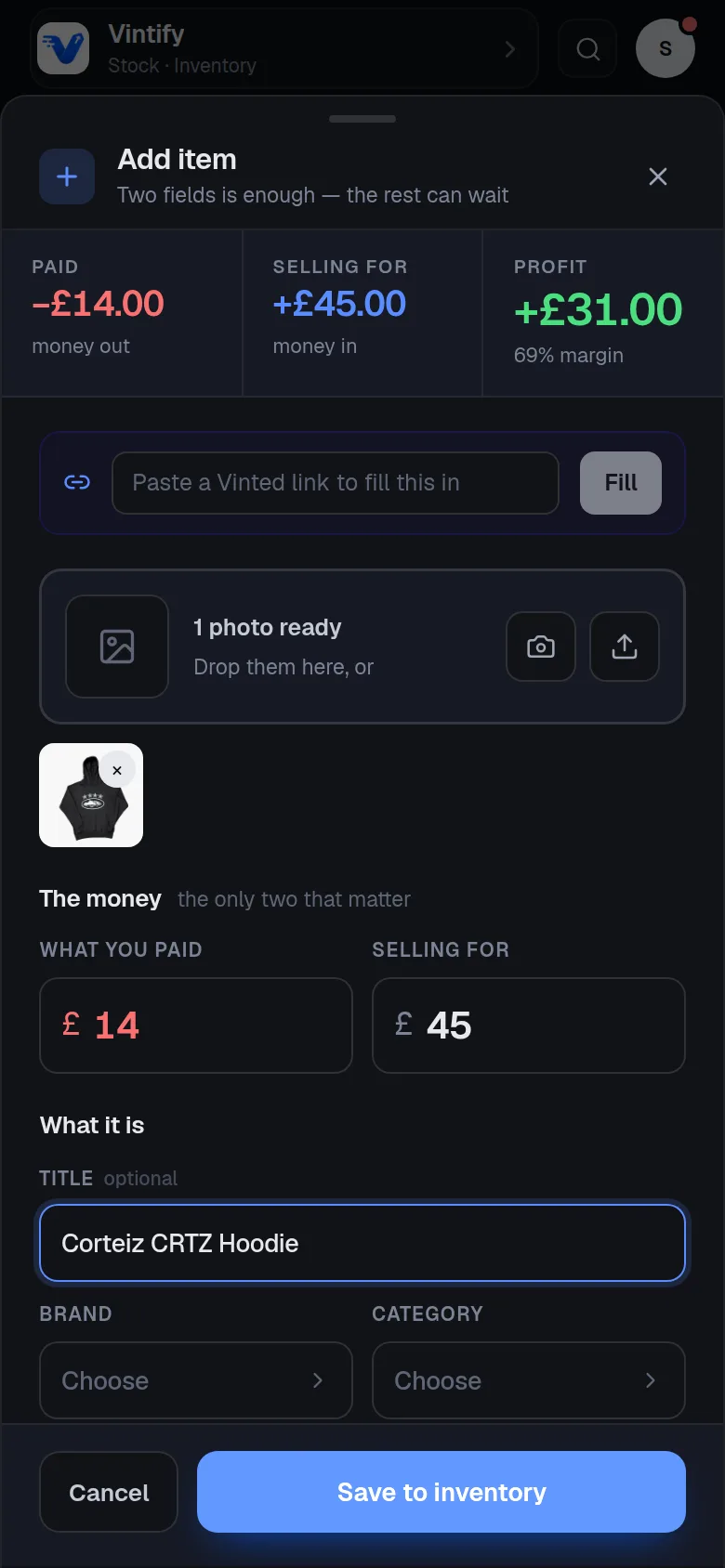
A screenshot of adding an item in the Vintify app on a phone, with example dataA screenshot of adding an item in the Vintify app on a phone, with example data

Five seconds, one hand.

The price is the only field you have to fill. It installs from the browser, and it works with no signal.

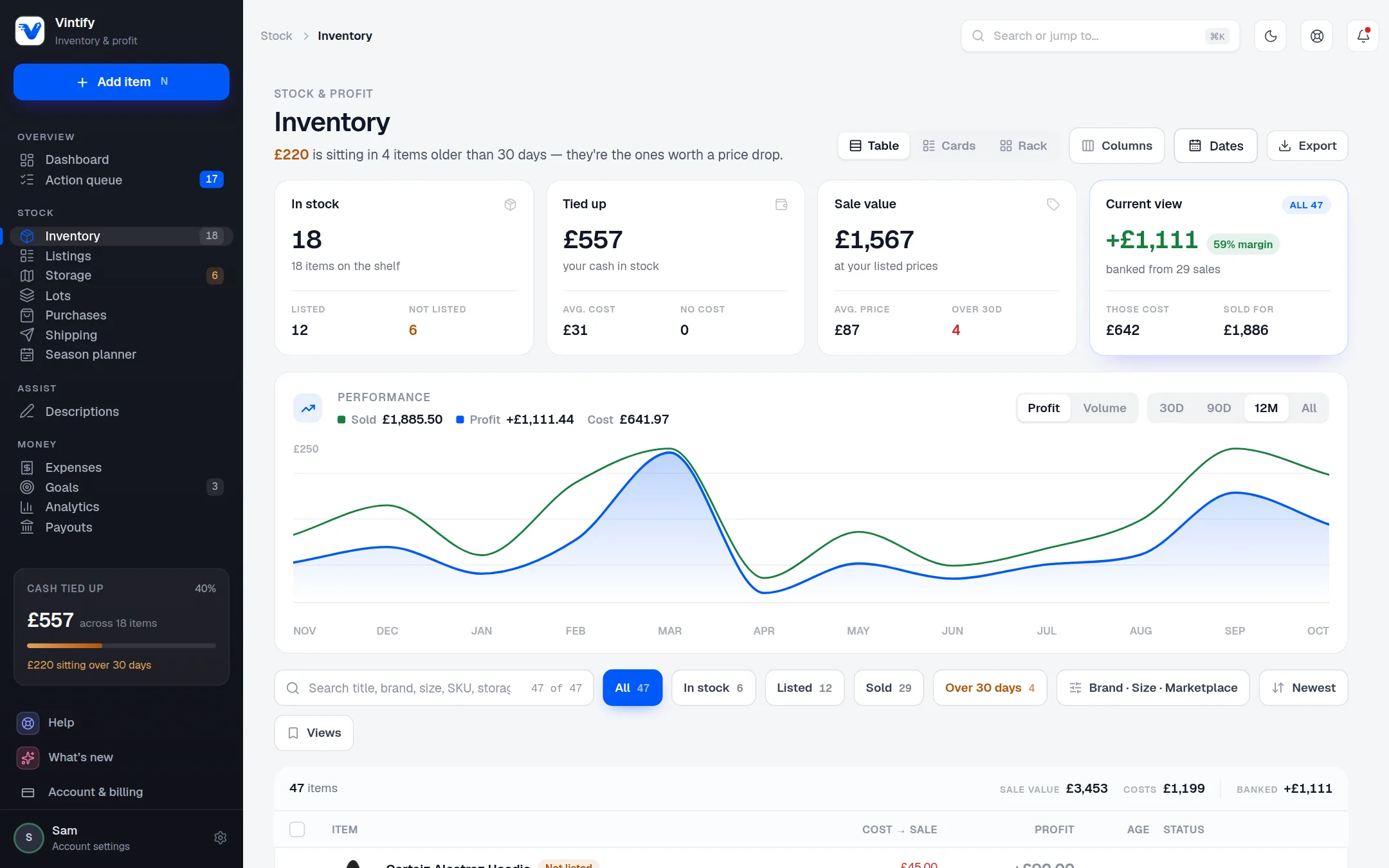
A screenshot of the inventory in the Vintify app on a computer, with example dataA screenshot of the inventory in the Vintify app on a computer, with example data

The whole business at a desk.

A table with sorting and filters, bulk actions, any two dates, and exports that download in one file.

Every screen

Each screen answers one question.

No dashboards for the sake of it. Here is every area of the app, the question it exists to answer, and the screen itself.

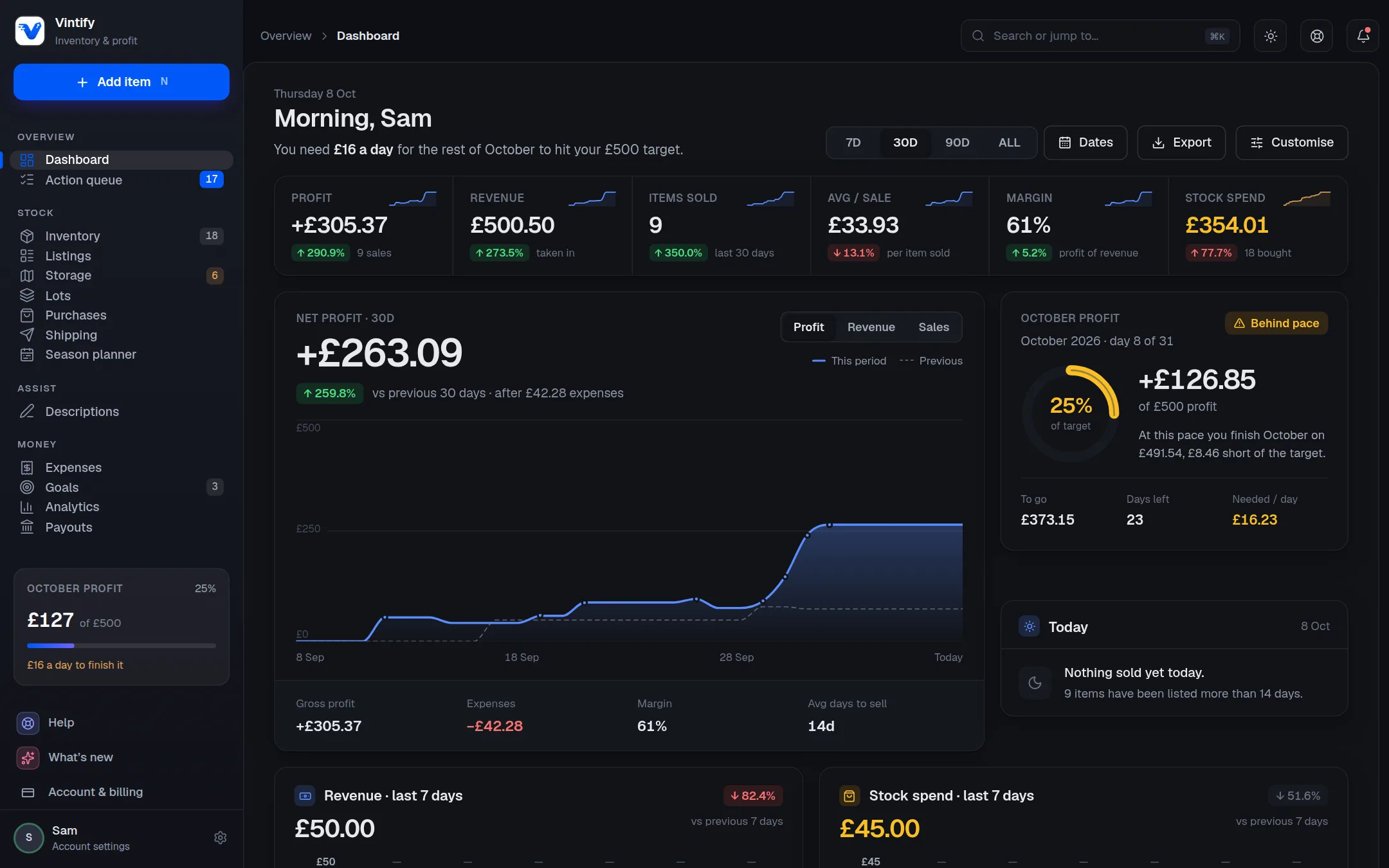
Overview · Dashboard

How am I doing, right now?

Six figures against the window before, a running profit curve, and the pace you need to hit this month's goal.

  • Profit, revenue, items sold, margin and stock spend, with the change on last time
  • Seven, thirty or ninety days, all time, or any two dates
  • Milestones as you pass them: your first sale, each round number, your best month, each one shareable
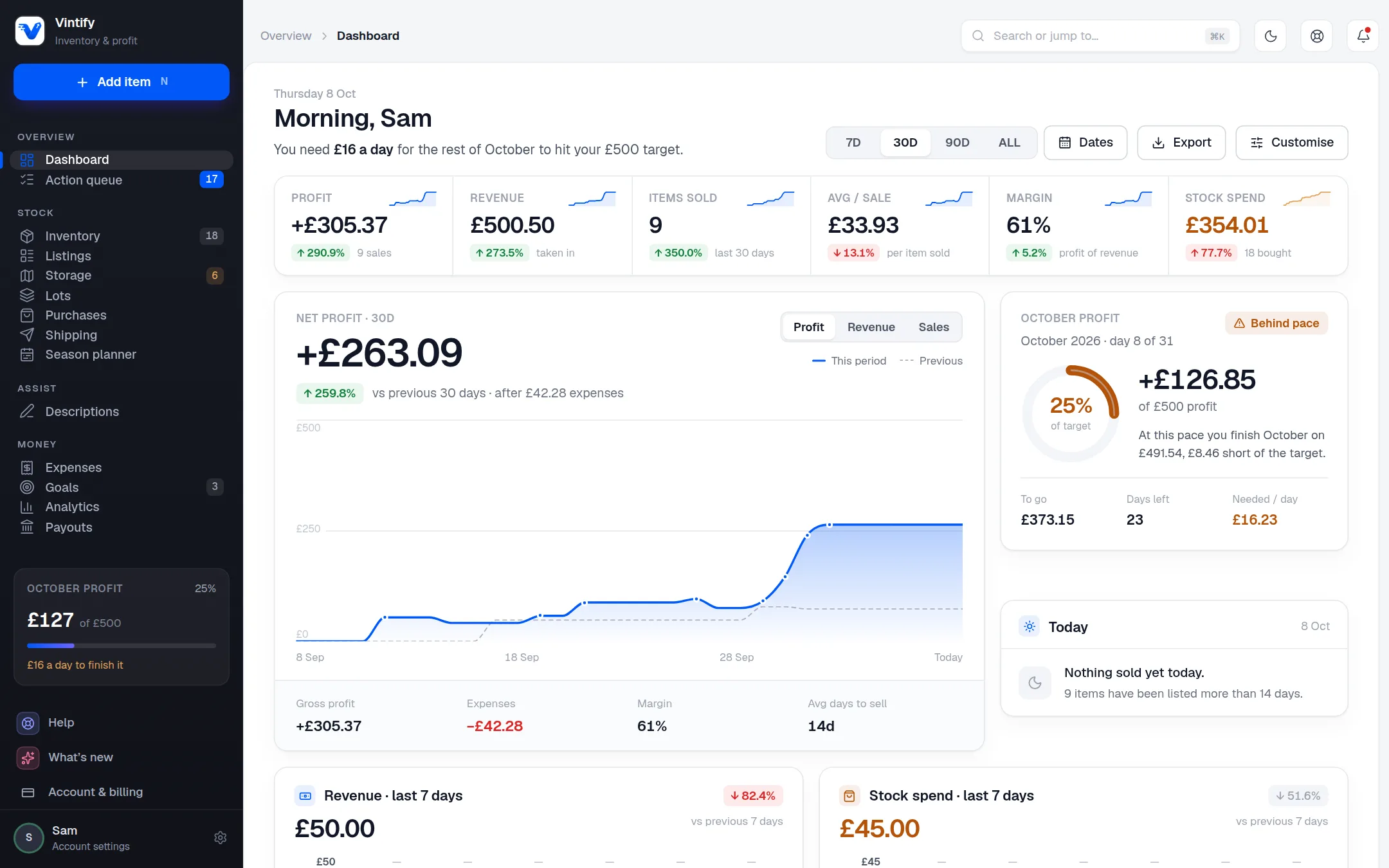
A screenshot of the dashboard in the Vintify app on a computer, with example dataA screenshot of the dashboard in the Vintify app on a computer, with example data

Overview · Action queue

What is waiting on me today?

One list of everything that needs a decision, each row naming the reason it's there, and the one tap that clears it.

  • To send, not listed, stale, drop due and missing info
  • A price drop, a dispatch or a snooze in one tap, with undo
  • Every threshold is yours to set
A screenshot of the action queue in the Vintify app on a phone, with example dataA screenshot of the action queue in the Vintify app on a phone, with example data

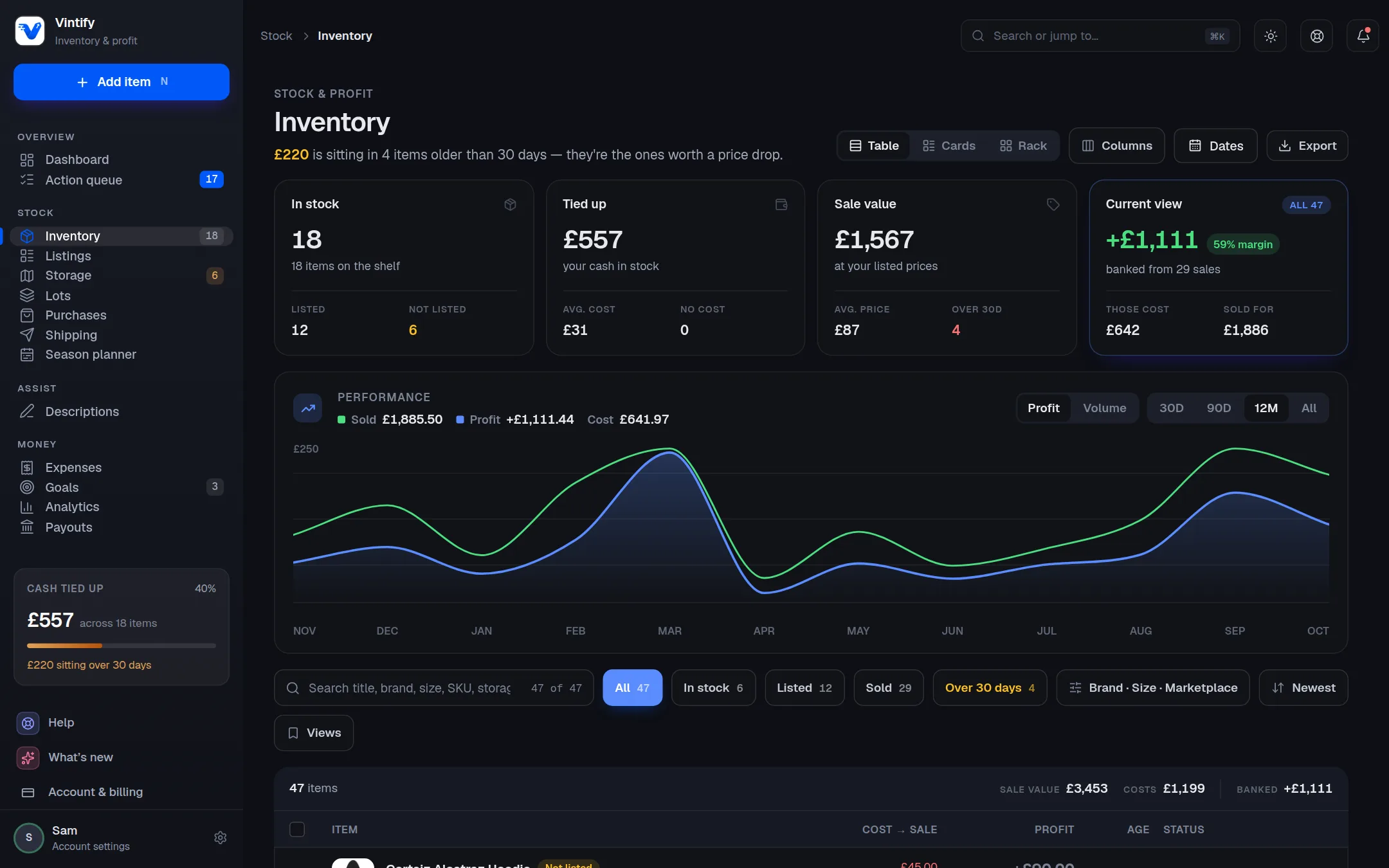
Stock · Inventory

What do I hold, and what is it worth?

Every item you own, what it cost, what it's listed at and what it made. The cards at the top double as filters.

  • A list on your phone; cards or a full table on a laptop
  • Search, filters and bulk actions: reprice, move, describe, export
  • Delete something by mistake? Recently deleted keeps it for 30 days
A screenshot of the inventory in the Vintify app on a computer, with example dataA screenshot of the inventory in the Vintify app on a computer, with example data

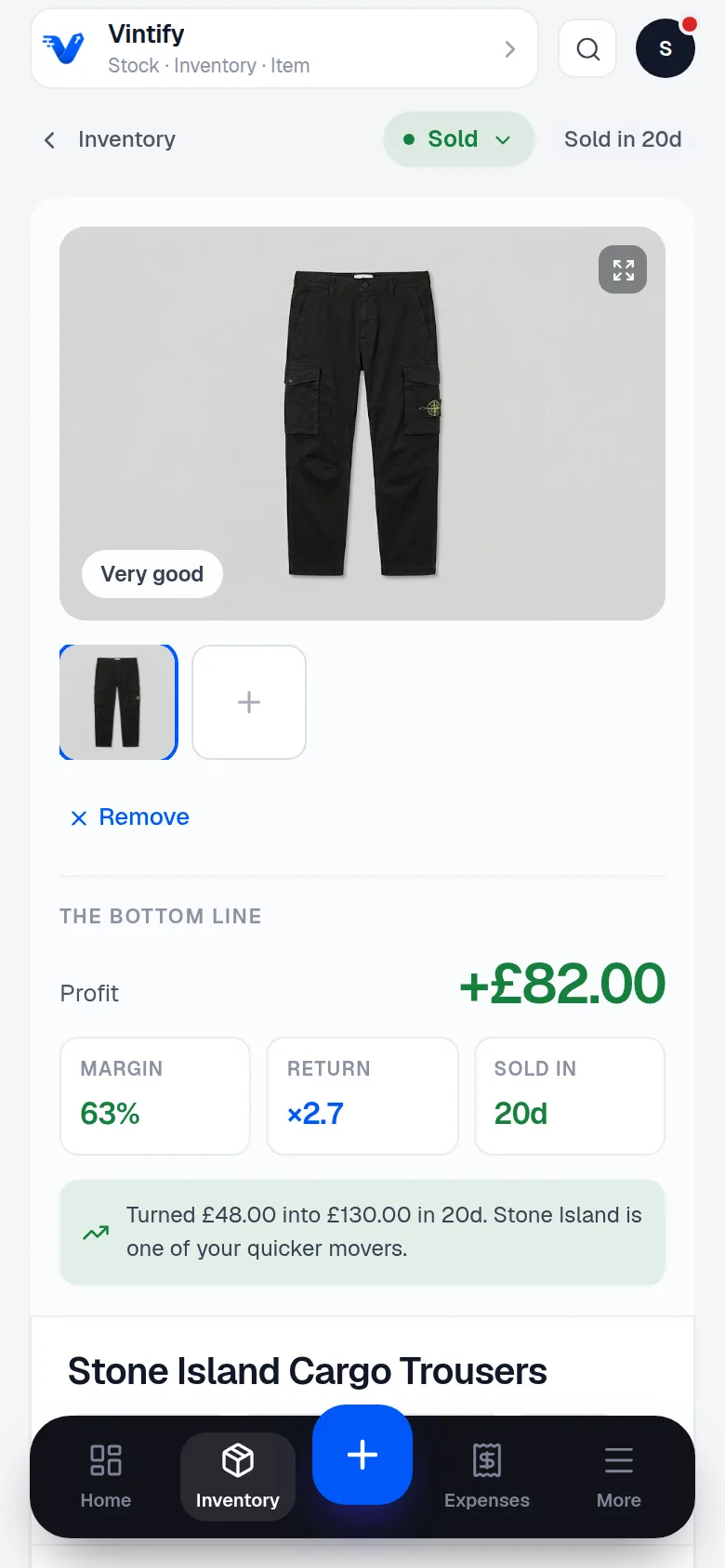
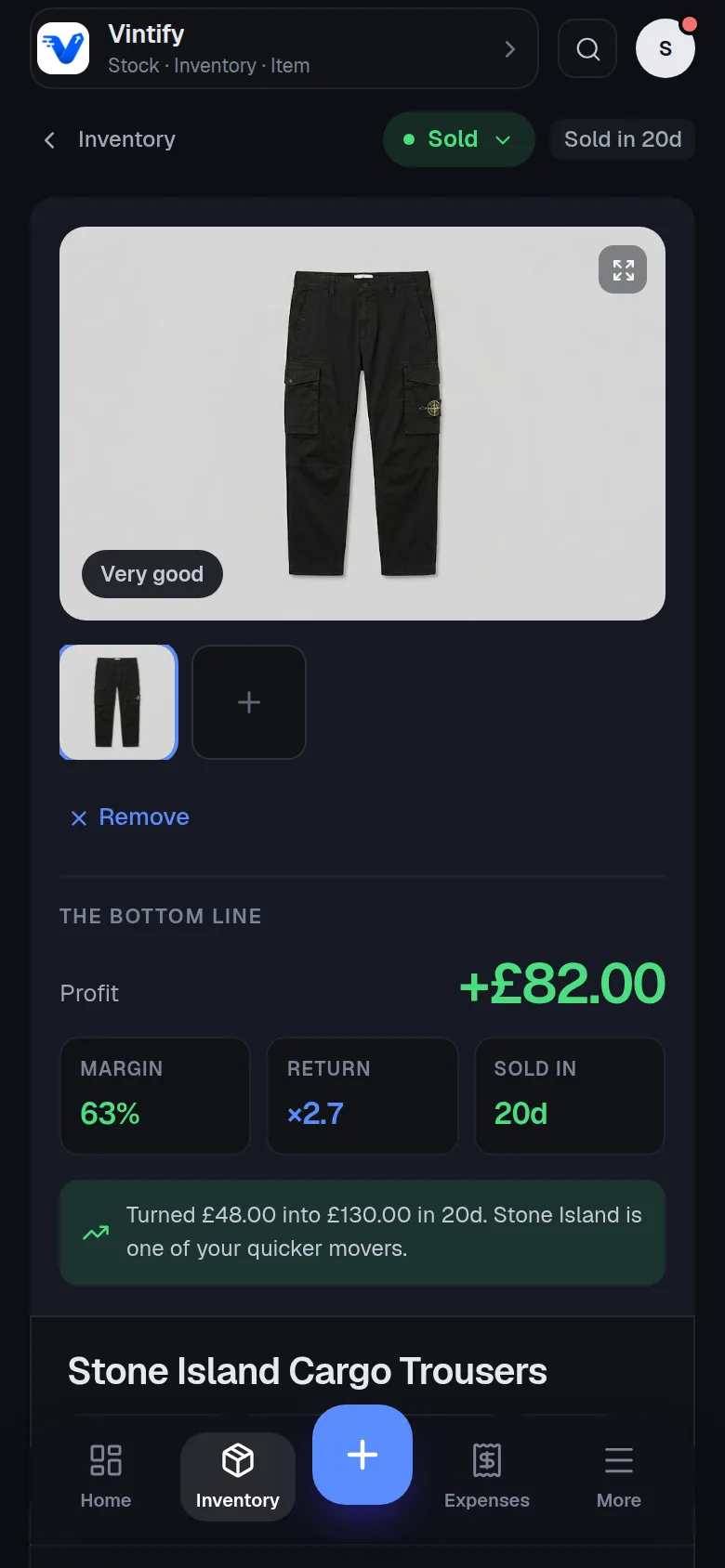
Stock · The item

What happened to this one flip?

Three prices, the photos, a dated history and everything the marketplace knows about it, on one screen.

  • Estimate, listed price and sold price, with the profit between them
  • Status moves both ways, so a slip is a tap from undone
  • A share card for the flip, on a link you can switch off
A screenshot of one item and its profit in the Vintify app on a phone, with example dataA screenshot of one item and its profit in the Vintify app on a phone, with example data

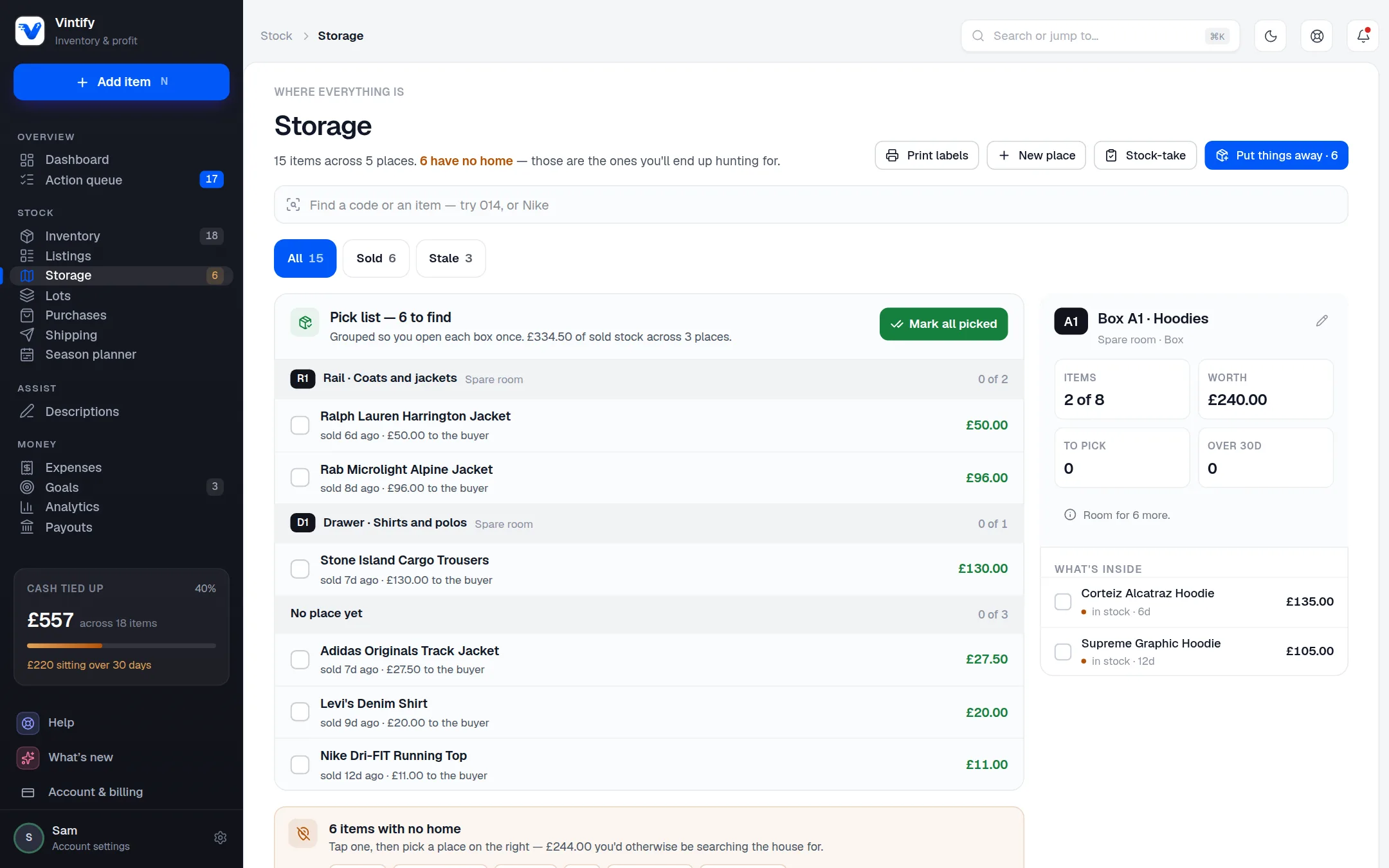
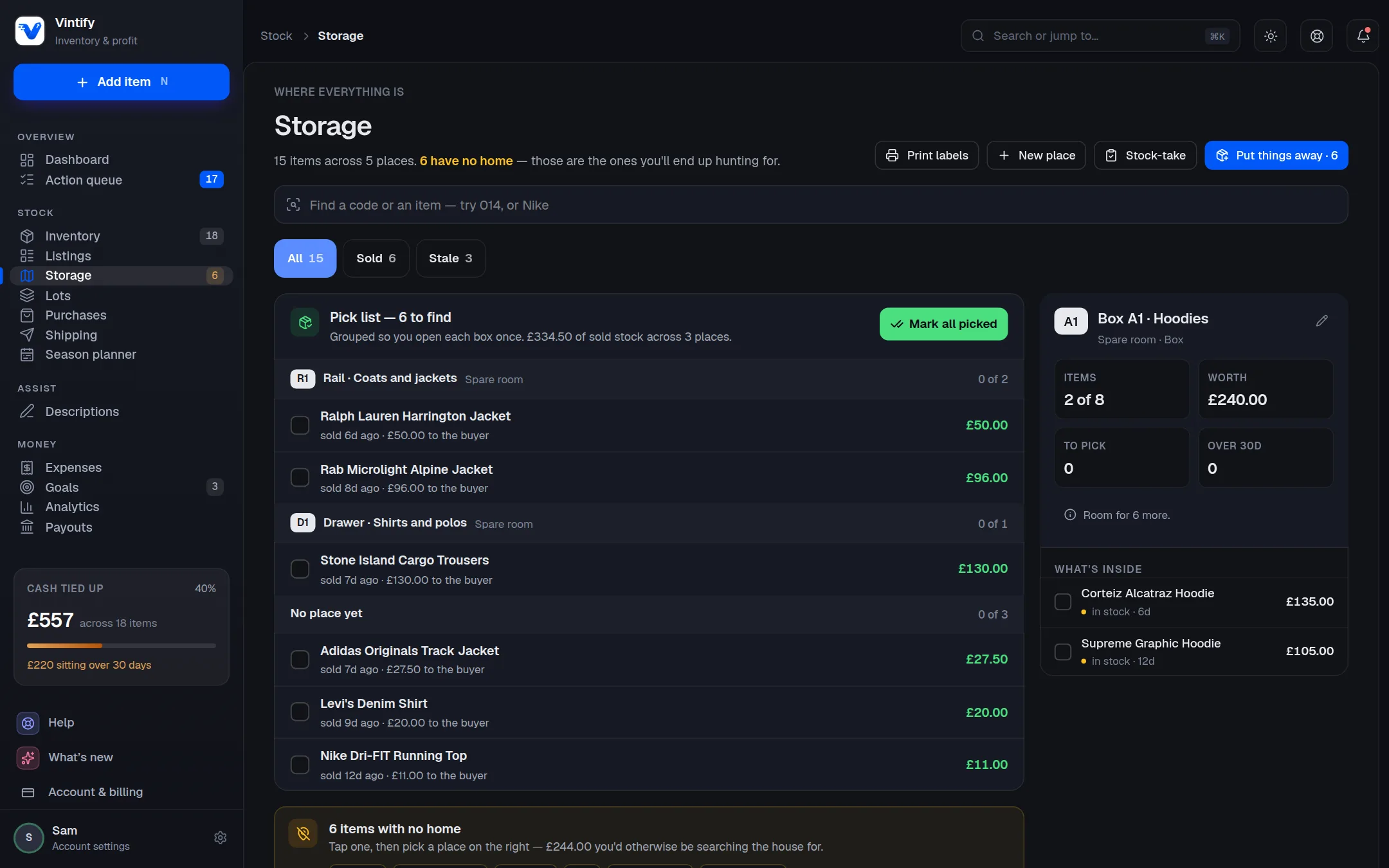
Stock · Storage

Which box is it in?

Name your boxes, rails and shelves once. When something sells, the pick list groups it by where it lives, so you open each box once.

  • Put-away suggests the place from the names you already use
  • A QR sticker for every item: scan it to open the item
  • A stock-take you scan, box by box, instead of ticking down a list
A screenshot of storage, with the pick list in the Vintify app on a computer, with example dataA screenshot of storage, with the pick list in the Vintify app on a computer, with example data

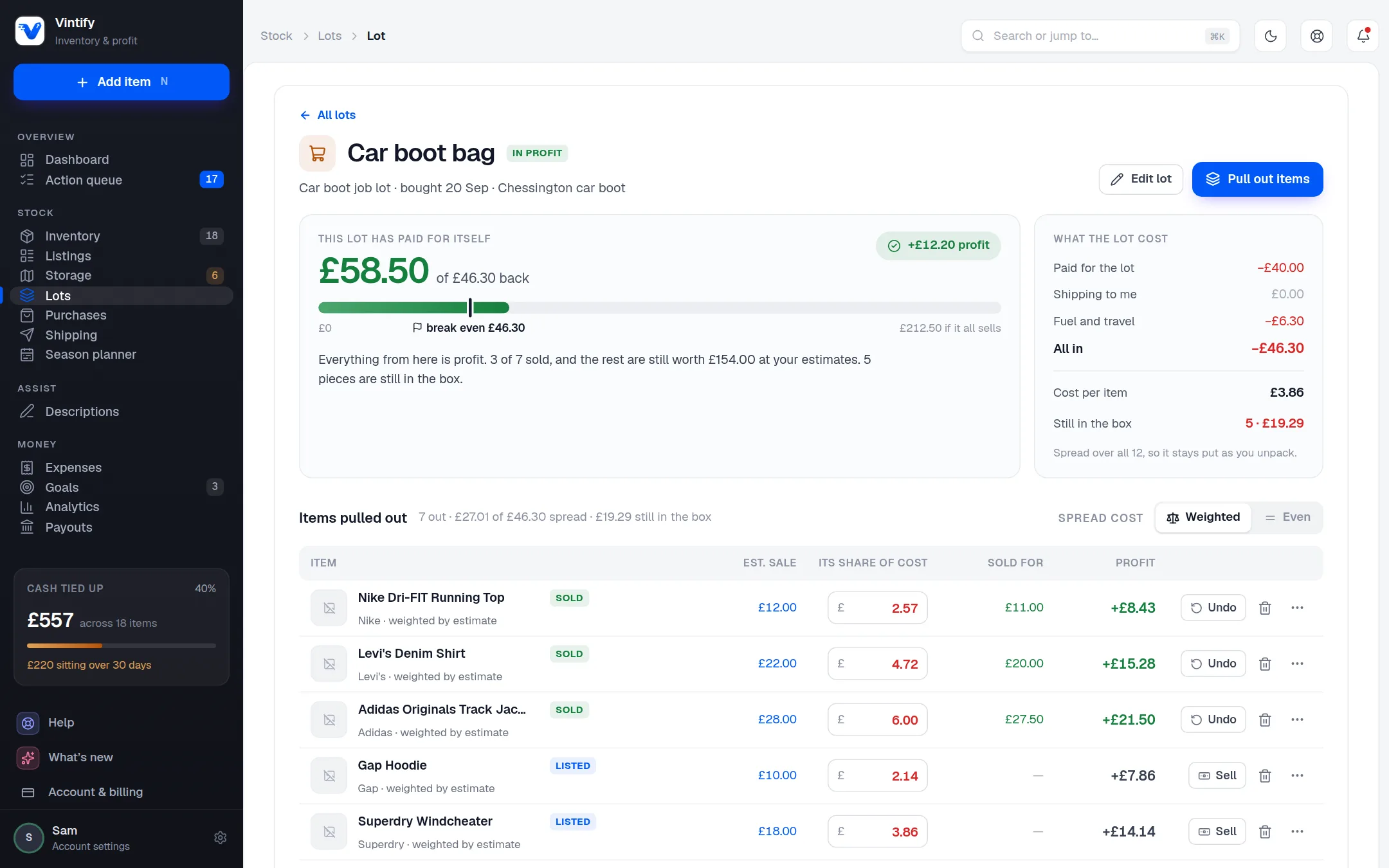
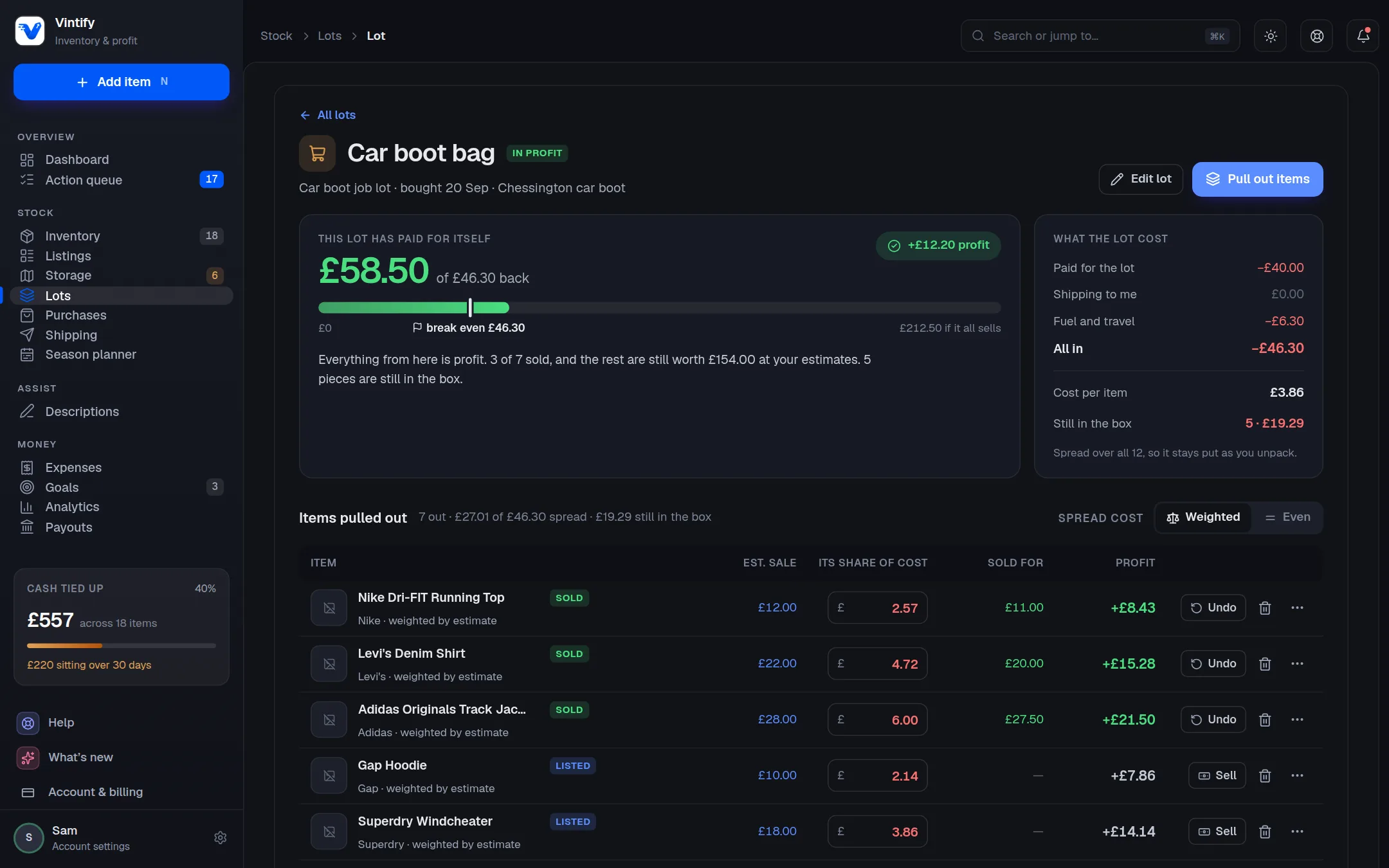
Stock · Lots

I paid once for a bag of things. What did each one cost?

One payment, many items. The cost is shared out by what each piece should fetch, and the pennies always add back up to what you paid.

  • A payback bar that fills as the lot sells
  • Bales and bundles without naming every piece up front
  • Pull items out as you list them
A screenshot of one lot and what each piece cost in the Vintify app on a computer, with example dataA screenshot of one lot and what each piece cost in the Vintify app on a computer, with example data

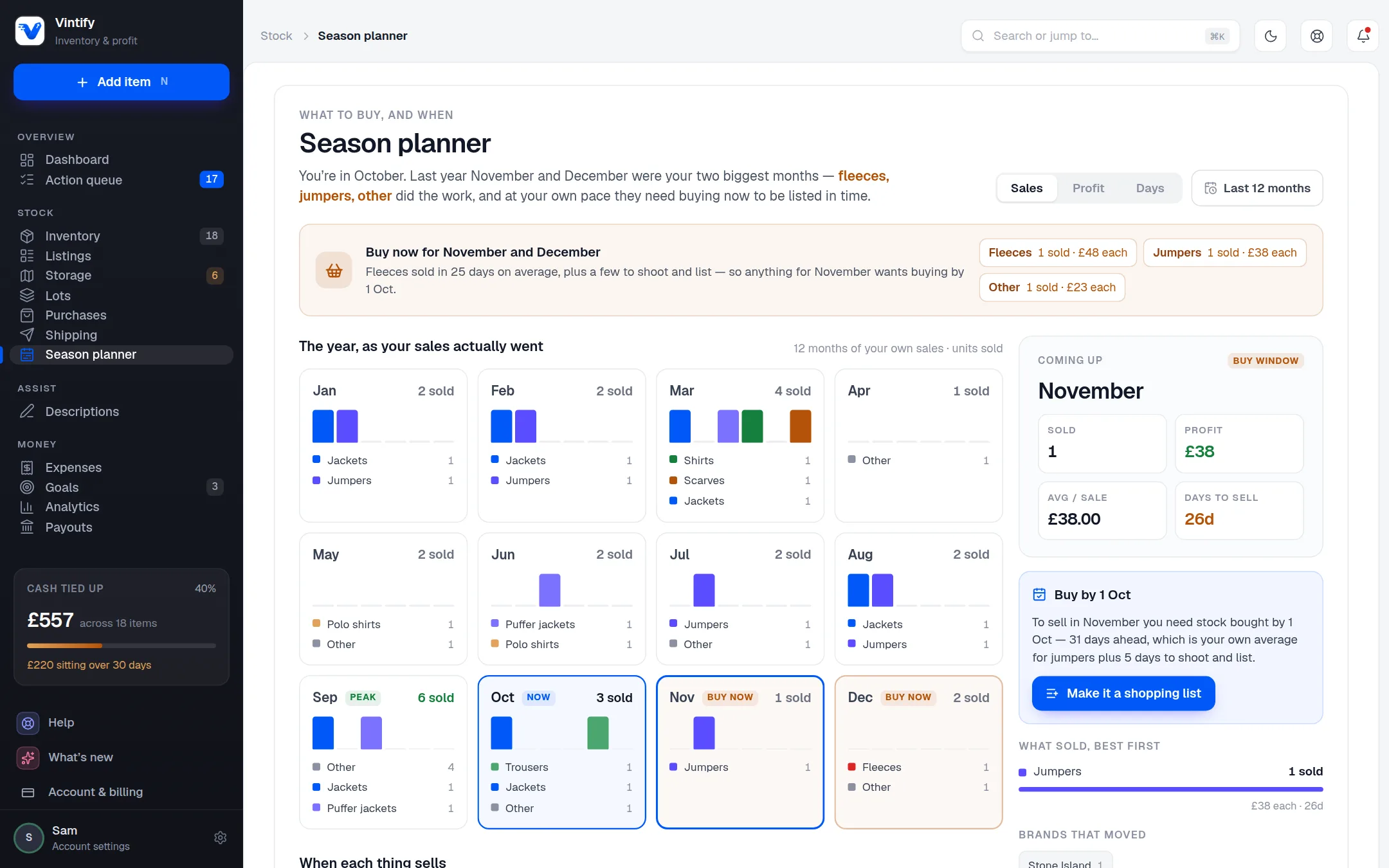
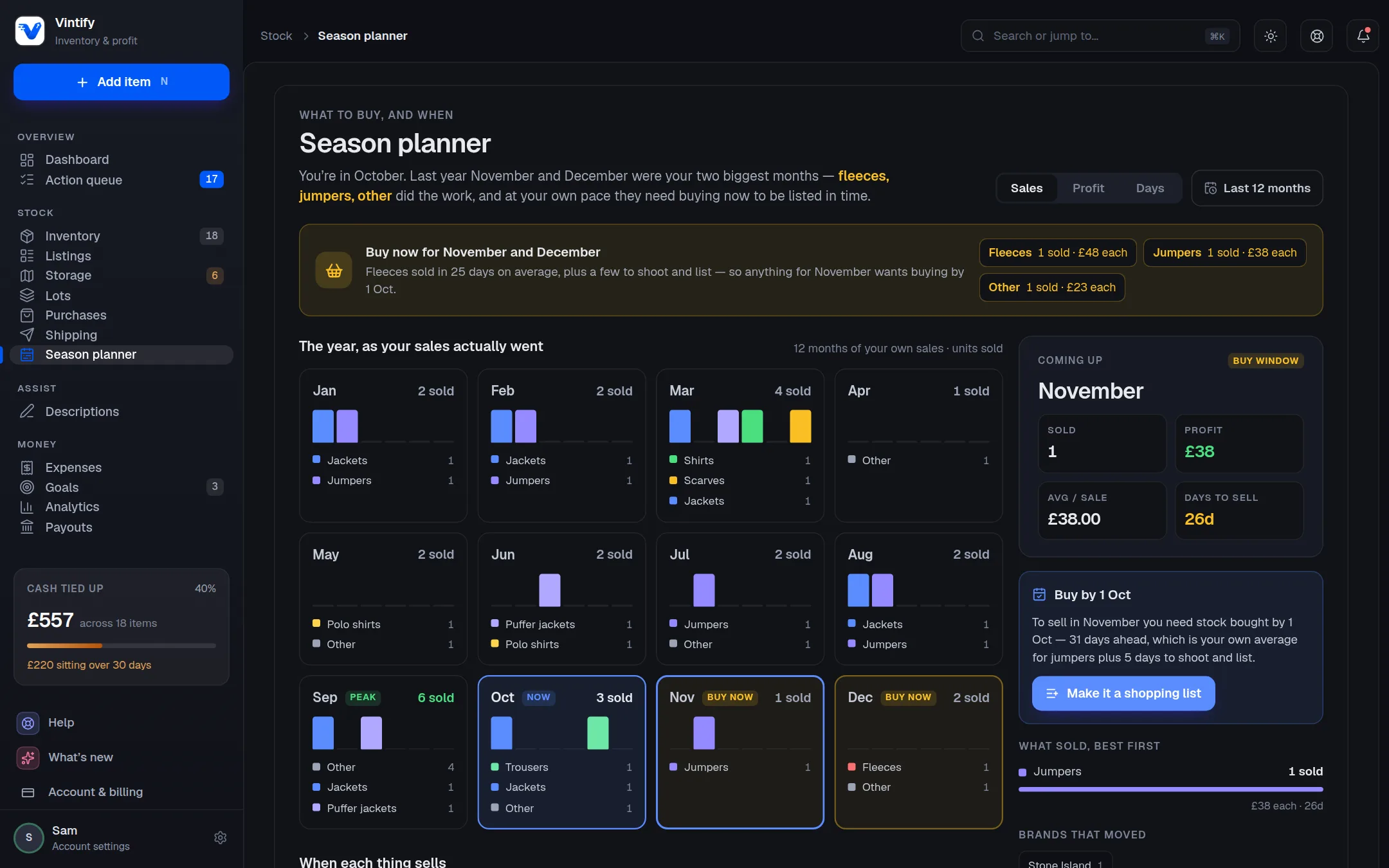
Stock · Season planner

What should I be buying now, for later?

Buy-by dates worked out from your own year of sales, less the time it usually takes you to list.

  • Your own numbers, not a trend feed
  • Which categories did the work in each month
  • A shopping list for the window that's coming
A screenshot of the season planner in the Vintify app on a computer, with example dataA screenshot of the season planner in the Vintify app on a computer, with example data

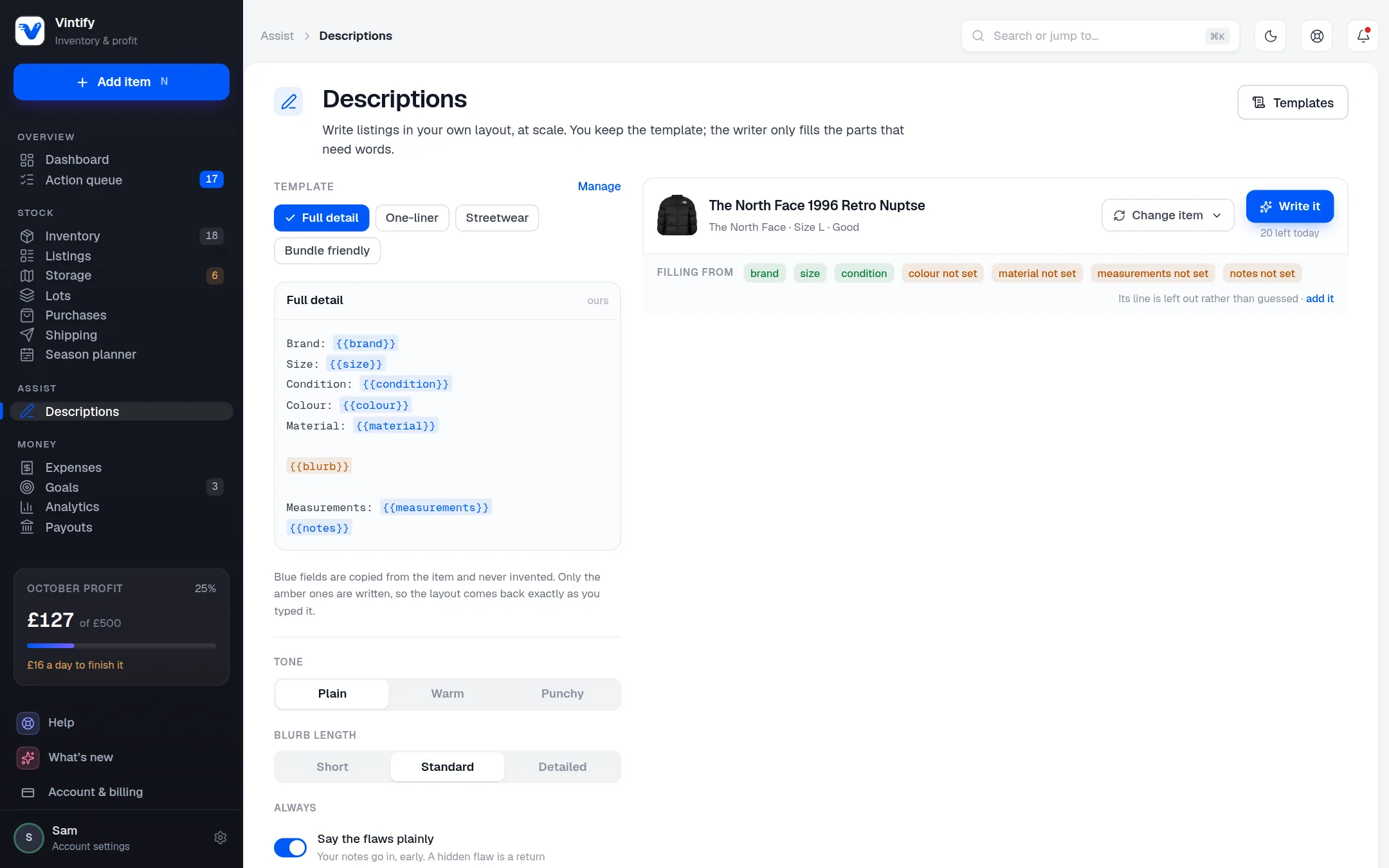
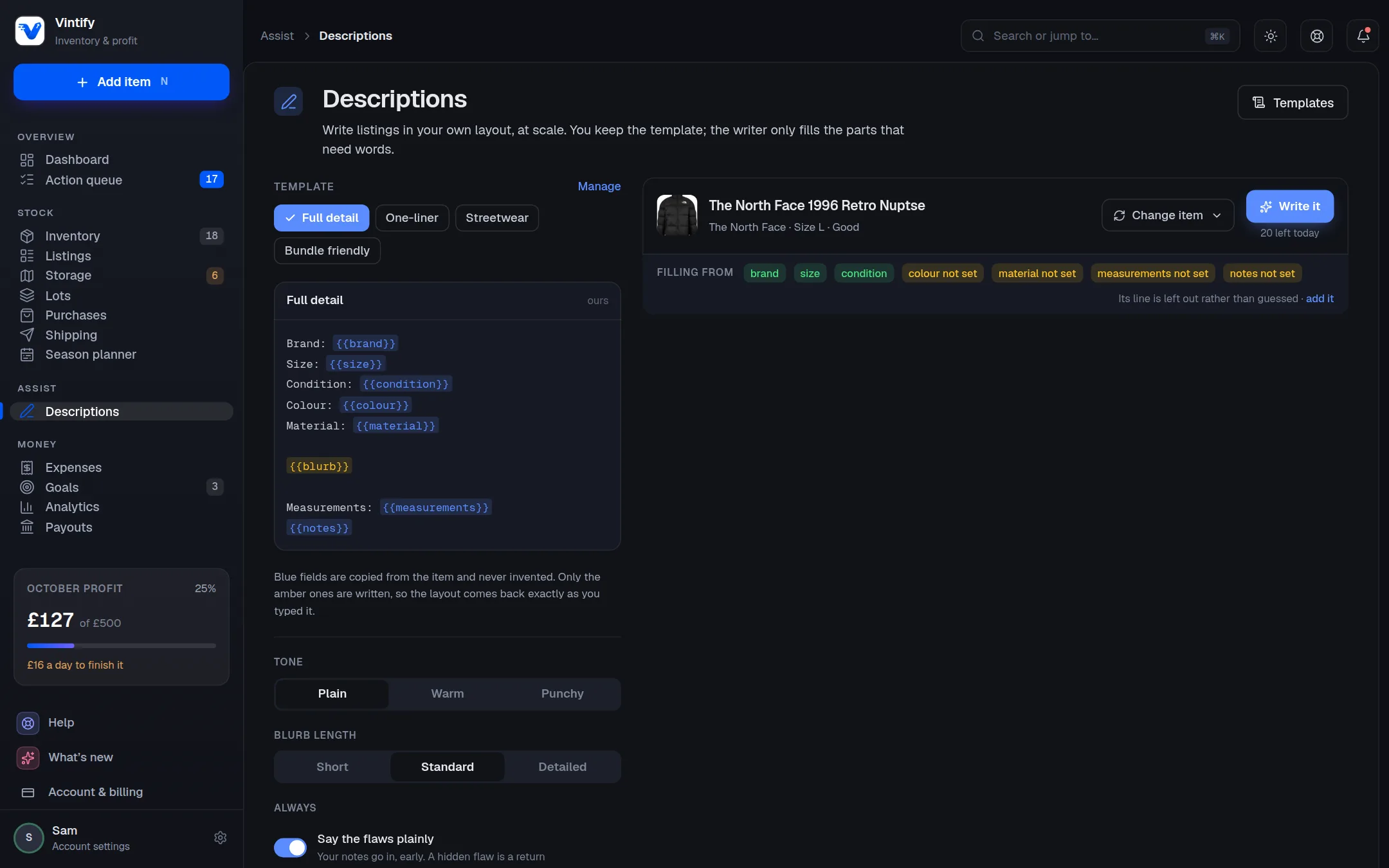
Assist · Descriptions

Can it write the listing for me?

A listing in your own layout. The facts are copied from the item and never invented; only the blurb and the title are written for you.

  • Four templates built in, plus your own
  • Write for one item or a whole selection
  • Photos are never sent anywhere
A screenshot of the listing writer in the Vintify app on a computer, with example dataA screenshot of the listing writer in the Vintify app on a computer, with example data

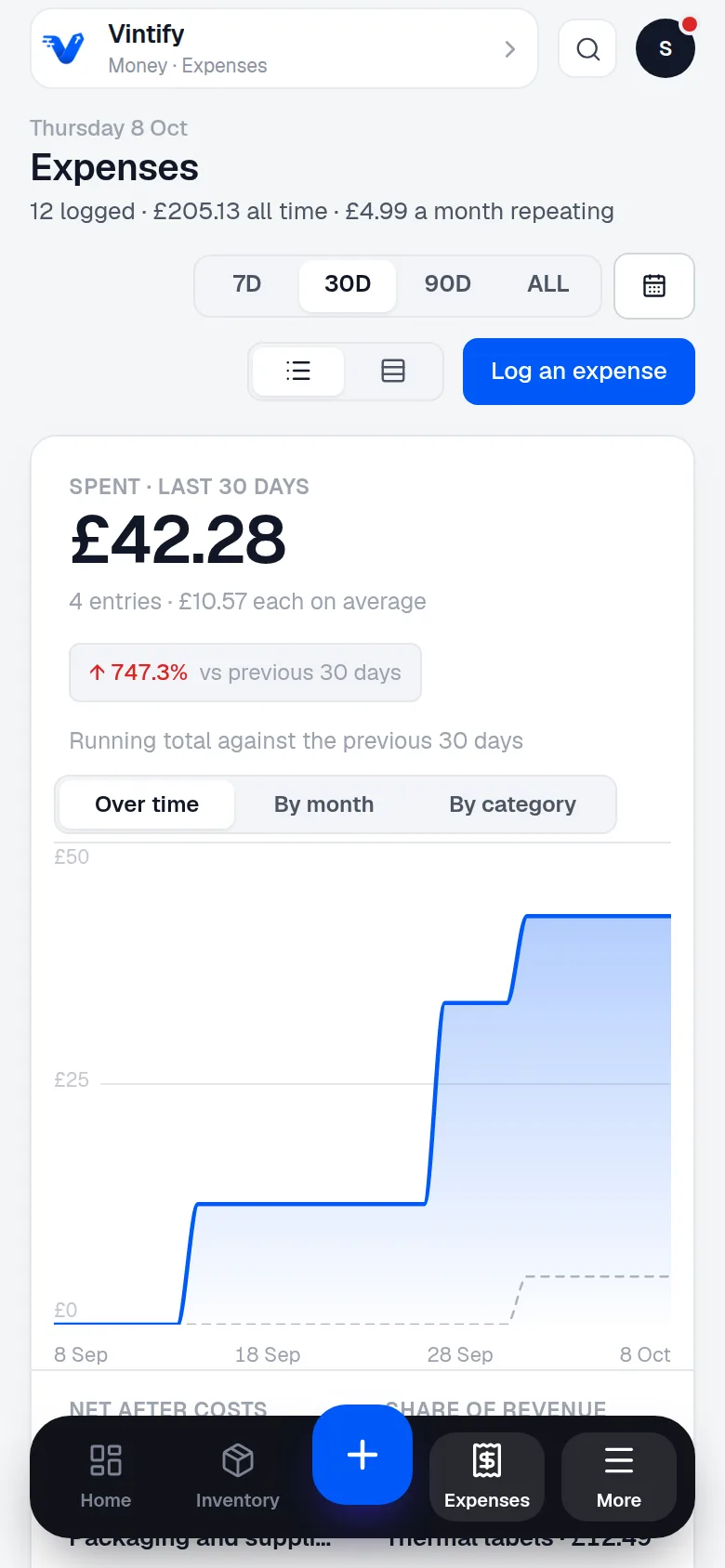
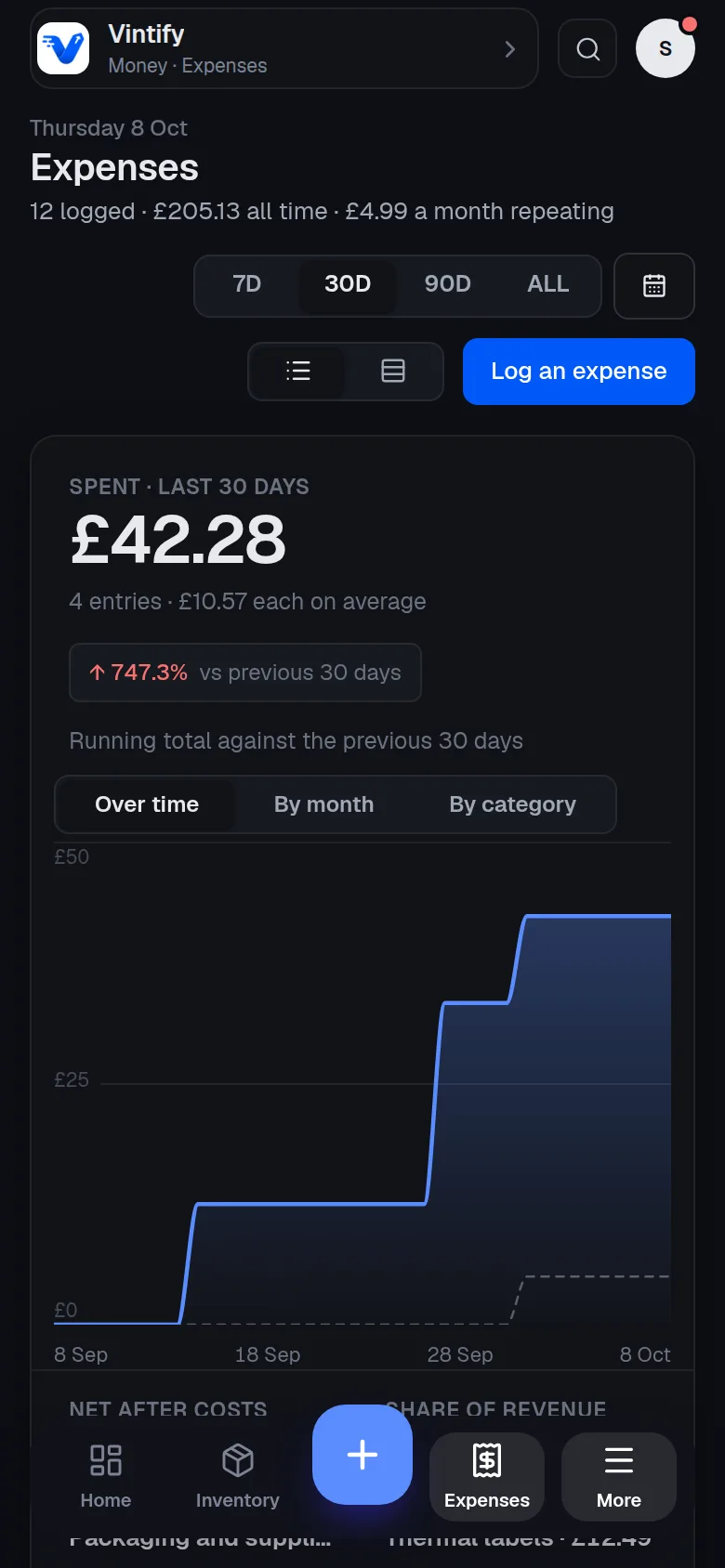
Money · Expenses

What is this costing me to run?

Bags, labels, pitch fees and the drive to the car boot, dated and categorised, with the repeating ones chasing you when they're due.

  • Photograph a receipt: the total, the date and the shop fill in for you to check
  • Mileage worked out for you
  • A cost logged against an item stays with that item
A screenshot of expenses in the Vintify app on a phone, with example dataA screenshot of expenses in the Vintify app on a phone, with example data

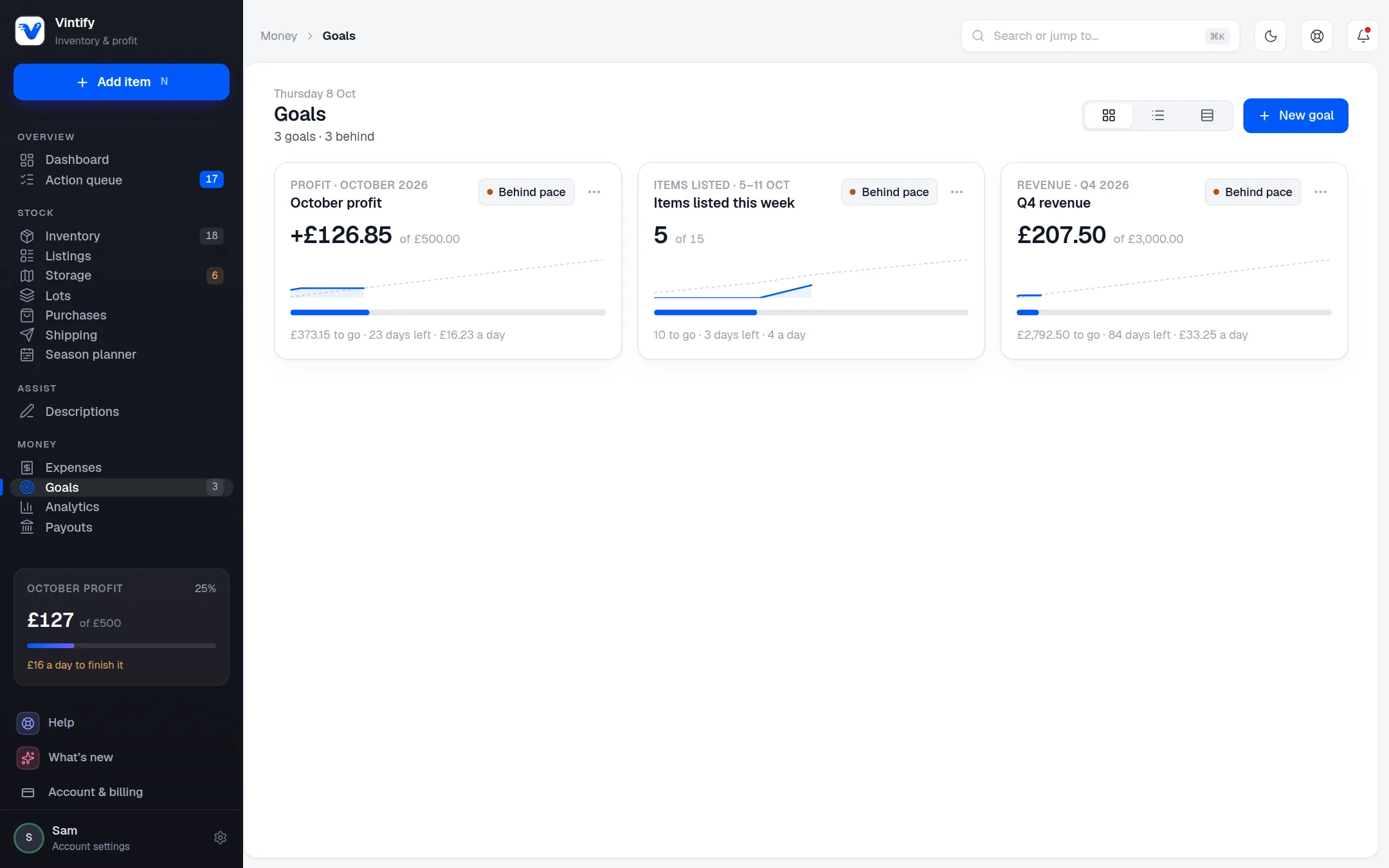
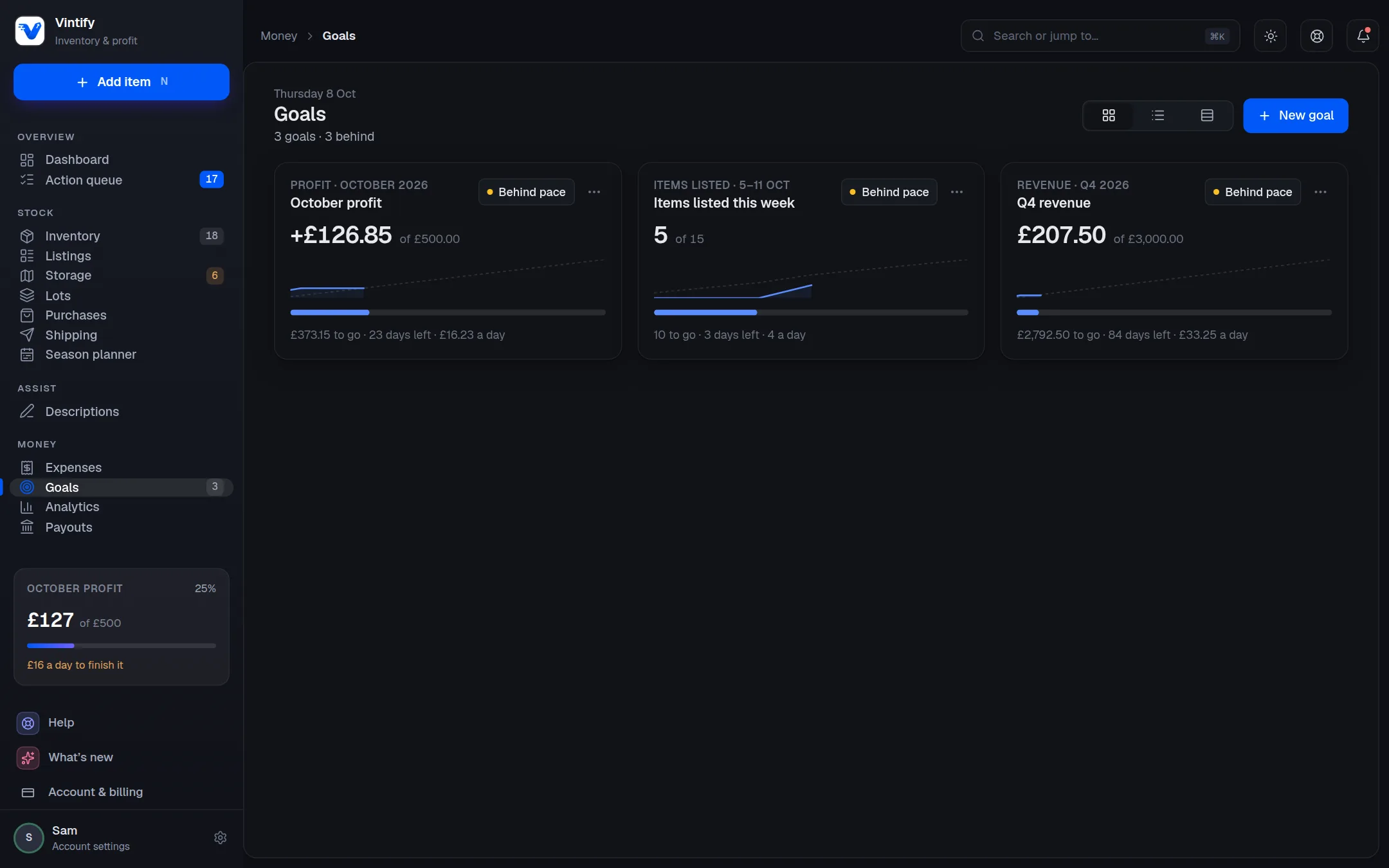
Money · Goals

Am I on pace?

Set a target for the week, the month, the quarter or the year, and see each day what it takes to get there.

  • Profit, revenue, items sold, margin and more to aim at
  • A pace line, a history and a streak
  • Pause a goal without losing it
A screenshot of goals in the Vintify app on a computer, with example dataA screenshot of goals in the Vintify app on a computer, with example data

Money · Analytics

Where did the money go?

Twelve months of profit and loss with the losses in red, how fast things sell, and which brands and sizes are worth buying more of.

  • Cuts by brand, category, platform, size, colour and source
  • Typical days to sell, not an average skewed by one slow coat
  • A comparison with the window before
A screenshot of analytics in the Vintify app on a phone, with example dataA screenshot of analytics in the Vintify app on a phone, with example data

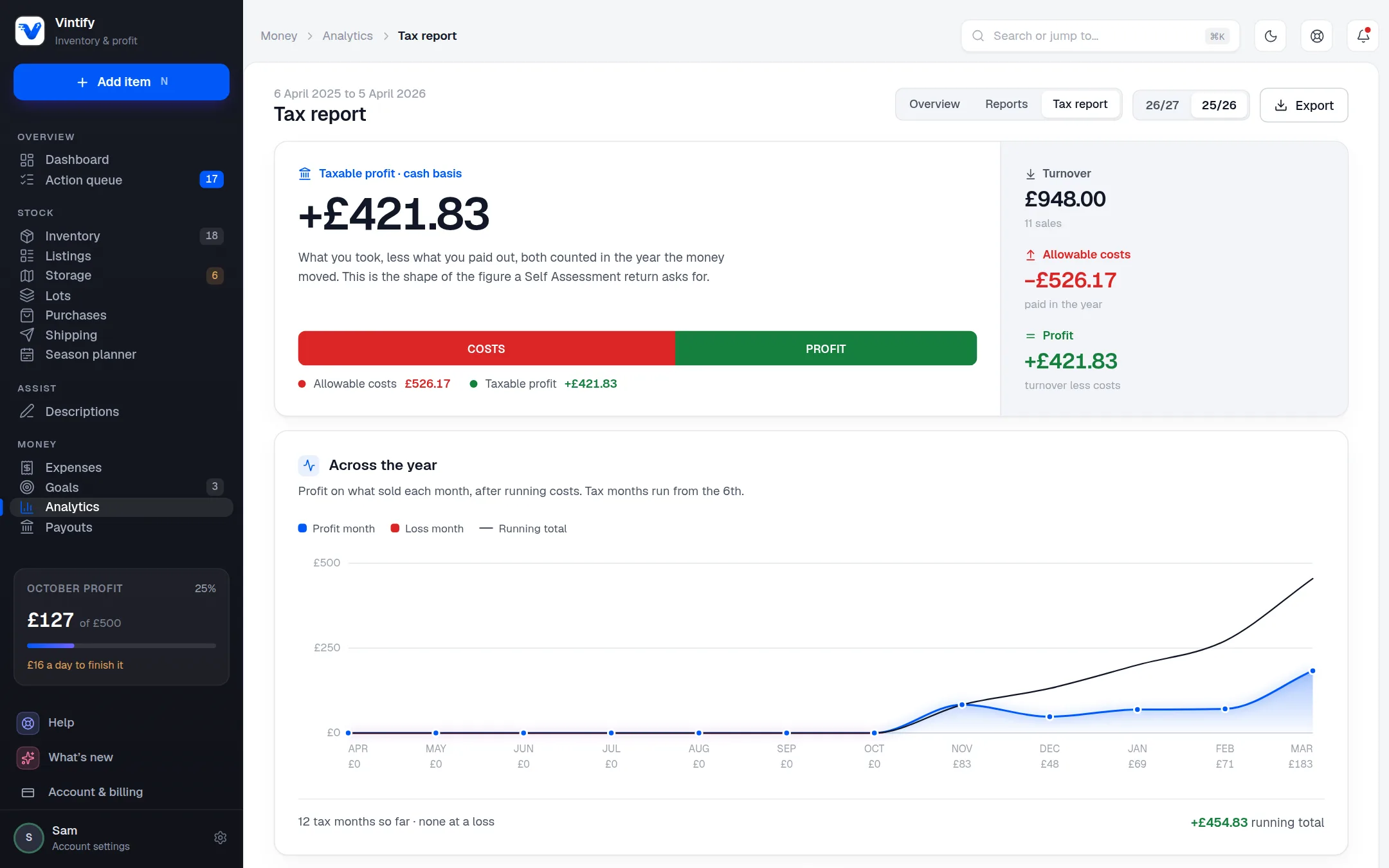
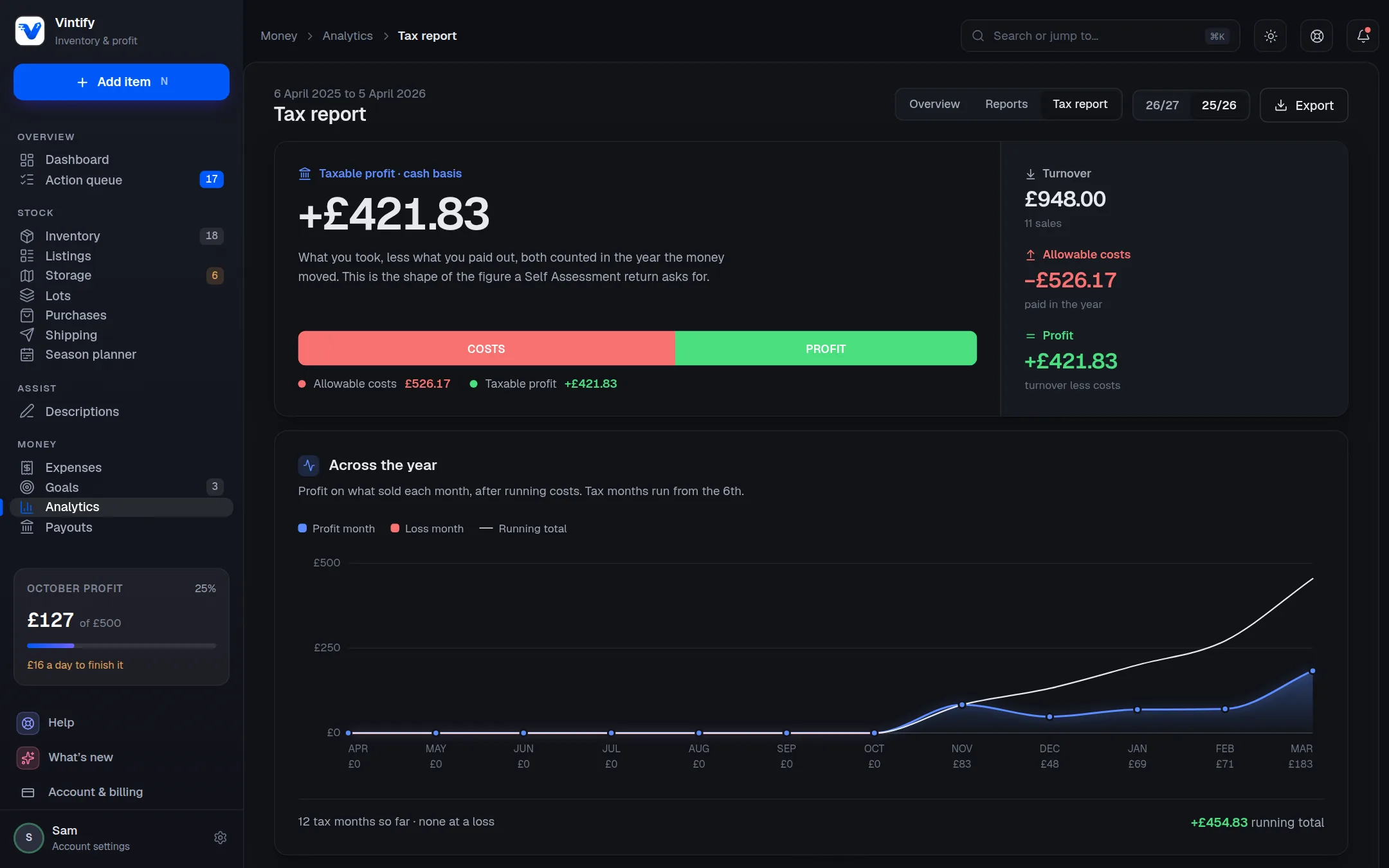
Money · Tax report

What goes on my return?

Your UK tax year, with the cost rows a return asks about and a report you can hand straight to your accountant.

  • Cash basis and accruals basis, side by side
  • Receipts missing and business miles, before you file
  • It gives you the figures. You file
A screenshot of the tax report in the Vintify app on a computer, with example dataA screenshot of the tax report in the Vintify app on a computer, with example data

Also in the app

  • Listings

    Your Vinted and eBay listings in one list, with a flag the moment something sells on one and is still up on the other.

  • Purchases

    Your Vinted buys arrive on their own. Link each to the item it became, or tick a pile of them and add the lot as new stock in one go.

  • Bundles

    Sold three things to one buyer, or bought a bundle in one parcel? Split it, and each item carries its own share of the price.

  • Shipping and labels

    Sold and not sent, oldest first. Your Vinted QR code or printable label is fetched for you and kept with the parcel, ready to scan at the counter or print in a batch.

  • Payouts

    What Vinted is holding and what's in the wallet; what eBay has available, on its way or on hold.

  • Import and export

    Bring your old spreadsheet in whole, from Excel, Numbers or Google Sheets, in any of 18 languages. Every list leaves as Excel (.xlsx) or CSV.

  • AI connector and API

    Ask a compatible AI assistant about your own stock and sales, or build on the API yourself.

  • Old eBay sales, in one go

    Hundreds of eBay sales waiting on you? Pick a range of dates, give them one cost or a rough range, and add them all in seconds.

  • Help from inside the app

    Report a problem with a screenshot, suggest an idea, or let the team see your account for 24 hours to fix something. You can stop it any time.

What it never does

Your books, your rules.

A tool that touches your Vinted and eBay accounts should say exactly what it does with them. So here it is.

  • It reads. It never posts.

    Nothing is listed, repriced, bumped, relisted or messaged on Vinted or eBay for you. Ever.

  • No password to lose.

    You sign in with a link to your email, or with Discord. Vinted is connected with a token that's encrypted at rest; eBay through eBay's own sign-in.

  • No guessed numbers.

    A figure the data can't support is shown as a dash. It never estimates your tax bill.

  • Your data leaves when you do.

    Export everything as one file whenever you like. Delete the account and the data goes with it.

Every screen, from the first day.

Sync your sales, manage your stock and see your profit, from day one.

Start your free trialJoin the Discord

Already a member? Log in